
Word Search: Puzzle Quest
Floc MediaFind listed words in letter grids by swiping across adjacent tiles. The game combines themed levels with denser boards, anagram-style puzzles, timed challenges, and optional hints.
Screenshots

About this app
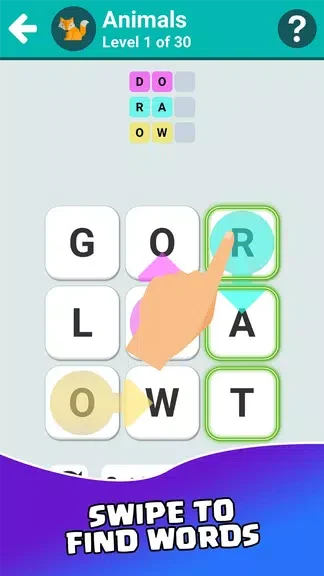
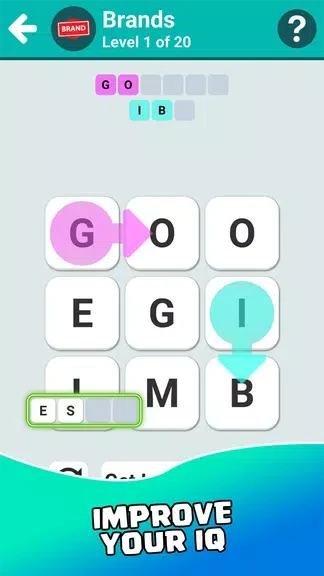
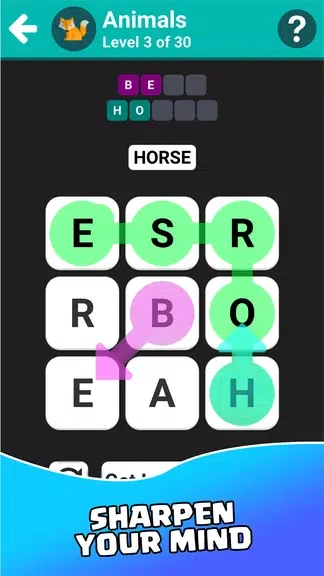
Word Search: Puzzle Quest is a word-search puzzle game where you swipe across adjacent letters to find words hidden in themed grids. Each level shows the words to find and reveals the first two letters of each answer, giving you clues while leaving the rest of the search to you.
Finding words in each grid
The main task is to scan a board and trace a listed word with a finger swipe. Letter highlighting indicates the selection as you move across the grid. Some puzzles use denser arrangements that call for closer scanning, while anagram-style levels ask you to work out how a set of letters can form an answer before selecting it. These variations change the search from straightforward spotting to a combination of visual scanning and letter rearrangement.
Themed levels and progression
Levels are grouped into packs covering categories such as animals, food, science, and countries and cities. The game includes hundreds of themed levels, with boards moving from simpler grids to larger or denser layouts. Later puzzles may combine those more demanding arrangements with anagram-style word finding. Completing themes unlocks new level packs, and the game also includes occasional bonus challenges.
Timed and untimed challenges
Play includes both timed challenges and puzzles that can be approached without a timer. Timed levels put emphasis on finding words quickly, while untimed play allows a steadier search. Optional pauses and hints provide ways to manage a puzzle when you want to slow down or need help; hints and partial letter reveals are limited. Daily and short timed levels provide another format for shorter sessions, while larger boards offer more searching within a single puzzle. The game also displays a current score and the remaining words during play.
Touch controls and display options
Swiping is the central control, with selected letters highlighted on the board. The interface keeps the word list and hints available alongside the puzzle. Color schemes and tile sizes can be adjusted, and animation intensity can be changed. Background themes vary with the level packs, while clear lettering and touch-oriented tile controls keep the grid central to play.
Playing without a connection
The source describes most levels as playable offline. Updates and new level packs may require an internet connection. The puzzles focus on English vocabulary and are designed around touch interaction.
Version history
View all04 Aug 2026 · stable