
1DM+
1DM+ combines a tabbed Android browser with a download manager for direct links, media links, and torrent files. It supports queued and scheduled downloads, per-task controls, SD card storage, file sorting, link refresh, and integrity checks.
Screenshots

About this app
1DM+ is an Android browser and file download manager for handling direct download links, media links, and torrent files on phones and tablets. It combines browsing tools such as tabs, history, bookmarks, and incognito mode with controls for organizing and monitoring downloads.
Download management
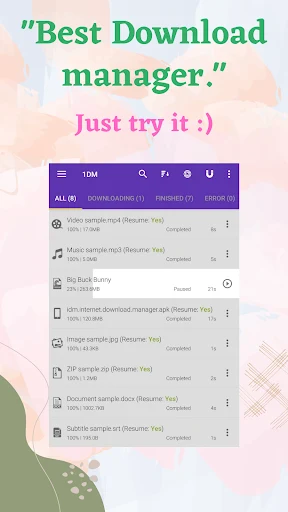
The app can run up to 30 download tasks at the same time and split one file into as many as 32 parts. Tasks can be paused and resumed, placed in a queue, or scheduled for later processing. You can set a speed limit for an individual task or apply one globally, which provides control over how downloads use the available connection.
For interrupted or unsuccessful transfers, 1DM+ supports unlimited retries with customizable delays. It can also refresh expired links when necessary, handle password-protected files, and show download progress through extended notifications. A proxy option is available for supported download connections.
Browser and link capture
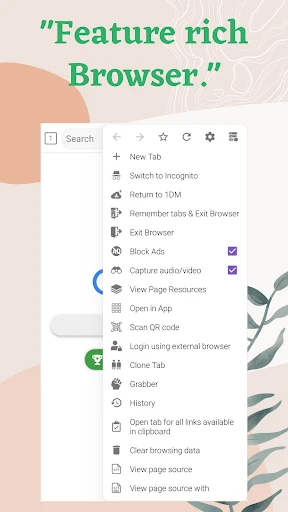
The built-in browser supports multiple tabs, browsing history, bookmarks, and an incognito mode. It can capture media links from multiple websites and supports pages that use HTTP Live Streaming. The browser also includes an automatic login function that saves credentials for protected areas, and it can be added to the device desktop through a browser shortcut.
YouTube video downloading is not supported because of YouTube's terms of service. The source also advises downloading only content that you own or are licensed to use.
Torrents and file organization
Torrent downloads can be added through magnet links, URLs, or local torrent files. The application can save downloads directly to an SD card and sort stored items by name, size, date, or file type. Downloaded files can be hidden from other applications, then opened or shared from within the app.
MD5 checks are available for checking file integrity. These tools help keep torrent and direct-download items grouped and make it easier to review their status after transfer.
Initial setup and permissions
On the first launch, the setup process asks you to choose a language and then select a download storage location. The source specifically describes choosing “Chinese (Simp)” when that language is required. From the browser, the magnet option is used to add torrent files or magnet links, while the lower-right add button is used to enter download links.
The listed permissions include network access for downloading, storage access for saved data, vibration control for notifications, and a wake lock intended to keep the device active during downloads. The app was formerly known as IDM on Android and is separate from the desktop version of IDM.
Version history
View all15 May 2026 · stable