

kubenav - Kubernetes Dashboard
Rico Bergerkubenav - Kubernetes Dashboard is a mobile and desktop client that lets developers and operators browse, edit, and troubleshoot Kubernetes clusters in one interface. Its listed tools include a real-time log viewer, an interactive shell, and a manifest editor with YAML validation.
Screenshots

About this app
kubenav - Kubernetes Dashboard is a mobile and desktop client for developers and operators who need to inspect, manage, and troubleshoot Kubernetes clusters. According to its description, the app brings cluster browsing, resource editing, and log inspection into one workflow, so routine operational tasks can be handled without moving between terminals, web consoles, and several separate tools.
What can you inspect in kubenav - Kubernetes Dashboard?
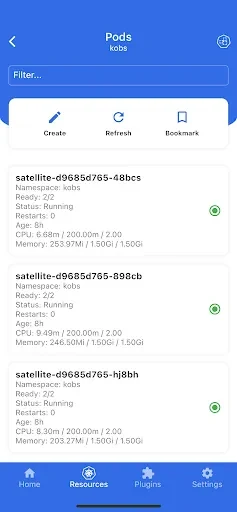
The app connects to clusters using kubeconfig files, token-based methods, or in-cluster authentication, then presents resources in a hierarchical explorer. Namespaces, workloads, services, config maps, secrets, and custom resources are shown in a structured tree view. Health indicators and recent events appear alongside each object, which the listing presents as a way to decide quickly where a closer look is needed.
Which tools are included for day-to-day cluster work?
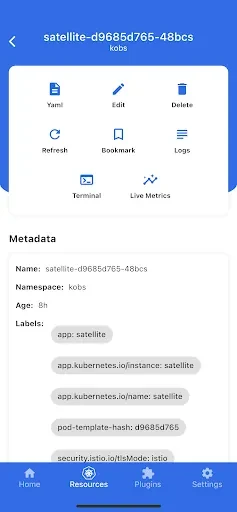
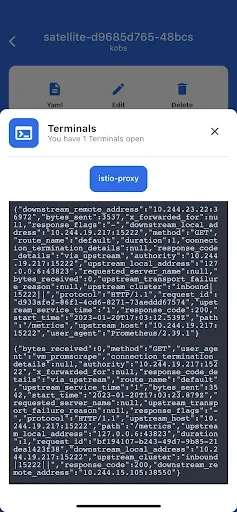
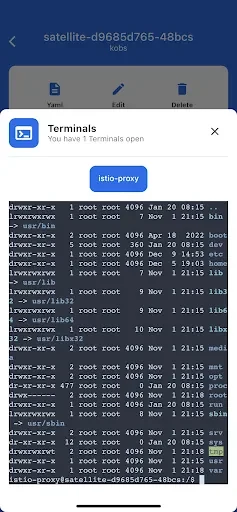
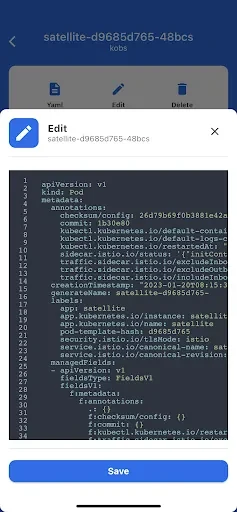
The listing describes a real-time log viewer, an interactive shell for running diagnostics inside pods, and a manifest editor with YAML validation and apply functionality. Dialogs are also provided for port forwarding and remote command execution. Controls are described as suitable for both touch and desktop input, with taps or clicks to expand nodes and contextual action buttons for common operations.
How is the interface organized on different screen sizes?
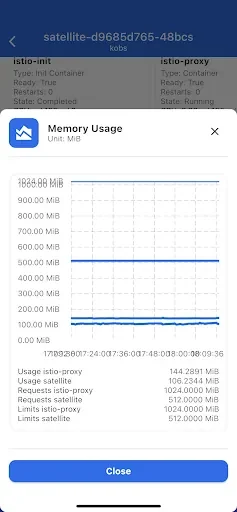
A left-hand navigator holds cluster objects, while the main pane shows resource details and metadata. Compact visual indicators highlight status, restarts, and events. The source states that the layout adapts to phones, tablets, and laptops, keeping metadata readable on smaller screens and offering more detail on larger displays.
How do multiple clusters and filtering fit into a typical workflow?
The described workflow starts with the cluster explorer, moves into workload objects, streams logs for suspect pods, opens a shell for live checks, and then edits manifests with an inline preview before any change is applied. Support for multiple contexts and kubeconfig files allows switching between clusters without reconfiguring the client. Filtering by name or labels is described as a way to narrow crowded namespaces, and users can adjust view density or turn log streaming on and off.
What does the listing say about performance and caching?
The app is described as a lightweight client that batches API requests and caches frequently accessed metadata. According to the listing, this caching can keep recently viewed resource details available for short periods when connectivity is unstable. These performance statements come from the app description and have not been independently verified here.
How does kubenav - Kubernetes Dashboard handle access and security?
Authentication relies on standard kubeconfig files, tokens, or in-cluster credentials, depending on the deployment. The description says the app respects Kubernetes RBAC, so users see only the resources their roles allow, and that transport uses the same TLS settings as standard Kubernetes clients. The listing presents this as a way to keep existing cluster security models in place rather than adding a separate access layer.
Who is the app intended for?
The listing names operations engineers, platform teams, and on-call developers as the intended users, particularly for incident response and routine maintenance. It also mentions teams that need cluster access while mobile or working across different machines. The source does not provide measured outcomes, so any benefit to response speed or consistency should be judged against individual team needs.
Version history
View all14 Oct 2026 · stable
Frequently asked questions
Who is listed as the developer, and which version is described?
The listing names Rico Berger as the developer and shows version 4.2.3 in the category Productivity.
Does the source list the minimum Android version?
No. The minimum OS field in the supplied data is malformed and does not state a usable Android version, so compatibility details cannot be confirmed from this listing.