

Add Date and Time on Photo
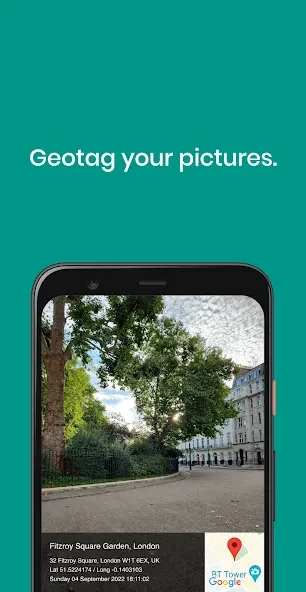
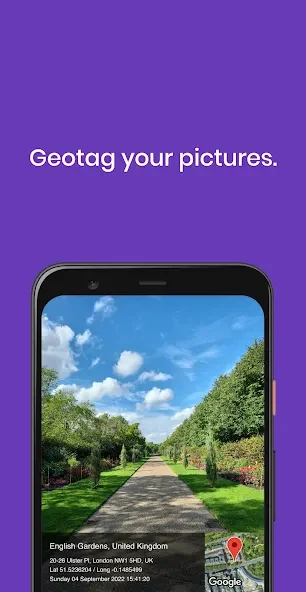
Add Date and Time on Photo helps document images with location information, date and time stamps, and notes. Its map tools also let you review and correct a photo’s tagged position.
Screenshots

About this app
Add Date and Time on Photo helps you keep more context with a picture than the image alone can show. You can tag where a photo was taken, add a date and time stamp, and attach notes that explain what you were photographing. That can be useful when reviewing pictures from a trip or sorting images gathered for research. The app also provides a map for checking locations, so a misplaced tag need not remain attached to a photo without correction.
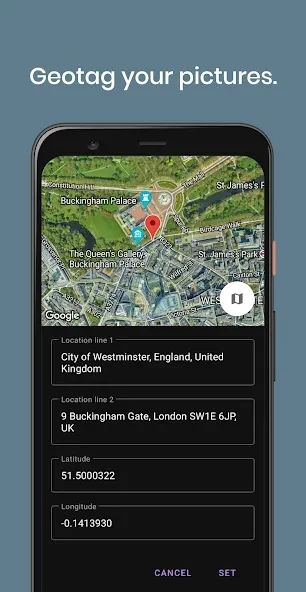
Check and correct photo locations
The app uses GPS, GLONASS, and Galileo for location tagging. A built-in mini-map shows photo locations in pin, satellite, or hybrid view, giving you different ways to inspect where an image was tagged. If a position is wrong, you can drag its pin to correct it manually. This is particularly relevant to photos taken indoors, where the recorded position may not match the place you want to document.
Keep notes alongside each image
Text captions and hashtags let you add names, observations, or other details that may be hard to identify later from the picture alone. The app also offers voice memos and describes storing notes with image metadata. For photos you want to find again, its suggested star-rating approach uses ratings in notes to mark preferred shots. The source also mentions weather data as another type of photo context.
Match pictures to a route
For a journey, the Track Log feature can record a route while you drive and match photos to it afterward. That gives the map and location tags a practical role when looking back over a series of stops, rather than treating each image as an isolated record.
Work with files and prepare copies to share
Supported image types include JPG, HEIC, PNG, TIFF, and RAW formats such as DNG, NEF, and CR3. Before sharing a photo, you can strip or mask its location information or export a copy with coordinates removed. Those options let you keep location details for your own records without including coordinates in every shared copy.
Version history
View all06 Jul 2026 · stable
Frequently asked questions
Can I correct a photo’s tagged location?
Yes. You can drag the pin on the mini-map to set a different location.
Which image formats are listed as supported?
The listed formats are JPG, HEIC, PNG, TIFF, and RAW, including DNG, NEF, and CR3.
Can I remove coordinates before sharing a photo?
Yes. The app offers options to strip or mask location information and to export a copy without coordinates.