

AnTuTu Benchmark
AnTuTu Benchmark evaluates CPU, GPU, RAM, and storage performance through a series of tests, including 3D graphics and AI evaluations. It also presents device hardware details and scores that can be compared with results from other smartphones.
Screenshots


About this app
AnTuTu Benchmark is a mobile device benchmarking app for assessing CPU, GPU, RAM, and storage performance. It runs tests on these components and presents an overall score alongside results for individual areas. This gives users more than a single number to review when they want to understand how a device performs across different kinds of tasks.
Tests across device components
The benchmark covers processor, graphics, memory, and storage performance using multiple tests. Its 3D graphics tests run demanding scenes to evaluate graphics processing and gaming-related performance. These results focus on the device’s GPU capability, while the other component tests provide separate measures for areas such as CPU and RAM. Together, the tests form a broader assessment than a graphics score alone.
The app also includes AI performance evaluations. These cover tasks such as image recognition, image classification, and machine-learning processing. AI results add another category to the component measurements, allowing users to see how the device handles the specific processing tasks included in those tests. The source does not describe the individual test steps or provide a method for interpreting scores beyond comparison with other devices.
Hardware details and demanding-load checks
Alongside benchmark results, AnTuTu Benchmark displays device information. Listed details include the processor model, GPU type, screen resolution, and battery health, as well as other hardware information. This information provides context for the test results by showing which components and device specifications are being assessed.
Stability tests examine temperature, changes in performance, and device stability under heavy load. These checks are distinct from the component scores: they focus on how performance behaves during demanding use rather than only reporting the result of an individual benchmark category. The description does not specify test duration or set thresholds for interpreting temperature or performance changes.
Scores and comparisons
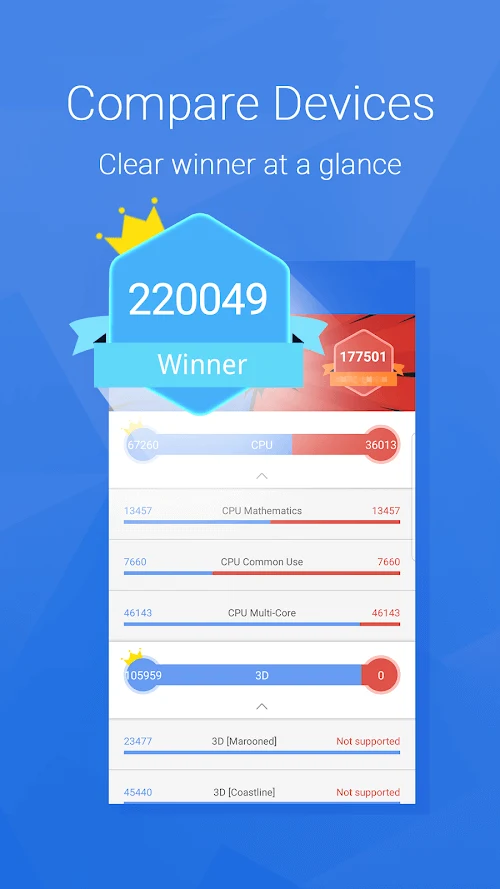
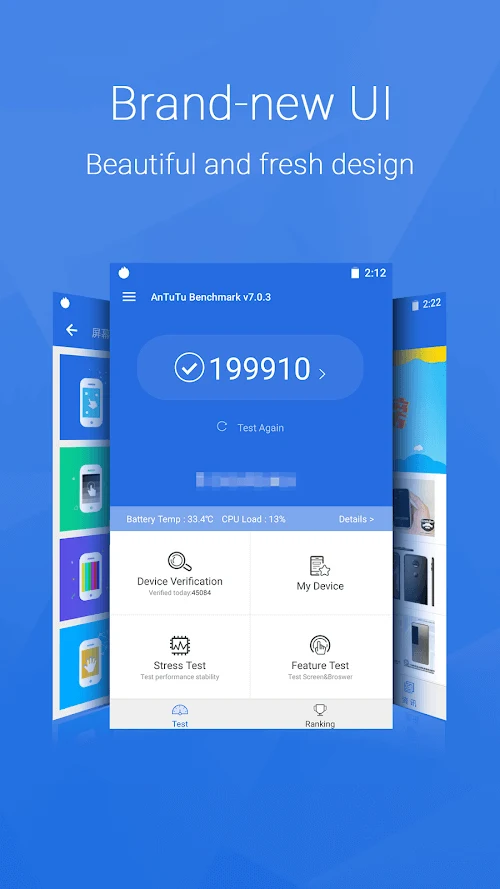
After a benchmark, the app presents an overall score and a breakdown of performance metrics. Users can compare a score with results from other smartphones through its ranking system. Looking at the component breakdown alongside the overall result can help distinguish which tested areas contribute to a device’s performance profile, rather than treating the total score as the only useful result.
The description also identifies historical data as a way to observe changes in performance over time. Viewed alongside current measurements, earlier results can provide a record of how a device’s benchmark results have varied. Comparisons and recorded results describe benchmark performance; the source does not specify that scores diagnose a fault or prescribe a particular repair.
Running a benchmark
To run a test, open the app and select the Benchmark button. The app then completes its tests and displays the resulting overall score and metric breakdown; the supplied instructions describe this process as typically taking a few minutes. Reviewing the overall result, component measurements, and available comparisons offers several ways to examine the same test run. The source notes that the app may request permissions, but does not identify which permissions are needed.
Version history
View all14 May 2026 · stable
APK11.0.421 Nov 2025 · stable