

Audio Status Maker | Video Cutter - WhatsCut Pro
BitElit TechnologiesAudio Status Maker | Video Cutter - WhatsCut Pro helps you edit, trim, split, and share videos or audio files as status updates on WhatsApp, Instagram, Facebook, IMO, and other chat or social platforms. It also includes audio recording, an inbuilt media player, and a file manager.
Screenshots
About this app
Audio Status Maker | Video Cutter - WhatsCut Pro is designed for preparing videos and audio files as status updates when the original media is longer than a platform’s sharing limit. It lets you select content from your phone’s gallery, edit it, and share the resulting media on services including WhatsApp, Instagram, Facebook, and IMO.
Preparing a video or audio status from the gallery
When a video or audio file needs adjustment before sharing, WhatsCut Pro provides editing and trimming tools directly from the phone’s gallery. You can choose the section you want to use and remove unwanted portions before preparing the status. This makes the app useful for selecting a specific moment from a longer recording rather than sharing the entire file.
Splitting longer media for WhatsApp
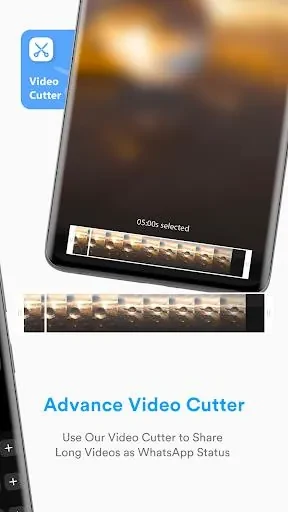
For WhatsApp status updates, the app can automatically divide a video or audio file into 30-second parts. The separate sections are prepared to match the stated WhatsApp status limit, so longer material can be shared as a sequence of status segments. This function is intended for users who want to use a longer recording without manually dividing it into individual clips.
Creating a status from a recorded message
WhatsCut Pro also supports audio recording and can convert recorded audio messages into videos. This provides a way to prepare a personalized spoken message as a status update, rather than relying only on existing files in the phone’s gallery. After recording, the resulting content can be used with the app’s sharing workflow.
Playing and organizing media inside the app
An inbuilt media player lets you play videos or audio within WhatsCut Pro while the file manager helps you manage the media used by the app. These tools keep playback and file selection available in the same application. The source also states that the app does not require permanent storage, which is relevant when preparing status content without keeping an enduring copy for that purpose.
Sharing prepared content across services
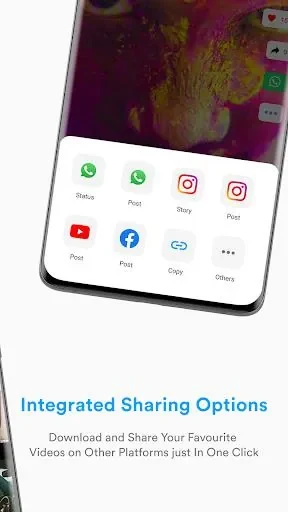
After editing, trimming, splitting, or recording, the prepared video or audio can be used as a status on supported social media and chat messenger platforms. The listed examples are WhatsApp, Instagram, Facebook, and IMO. The app’s central purpose is to turn longer or selected media into shareable status content while providing the playback and file-management controls needed during preparation.
Version history
View all26 Jun 2024 · stable