

Bracket HQ | Bracket Maker
Dillon HessBracket HQ | Bracket Maker helps organizers build tournament brackets, seed participants, record match scores, and share live bracket updates. It supports single- and double-elimination formats and includes themes for customizing the bracket’s appearance.
Screenshots
About this app
Bracket HQ | Bracket Maker is designed for organizing a tournament when you need to create a participant bracket, record results, and keep the event’s progress visible. It brings bracket creation, seeding, score submission, format selection, and visual customization together for tournaments ranging from small local events to larger-scale competitions.
Setting up participants and seeding
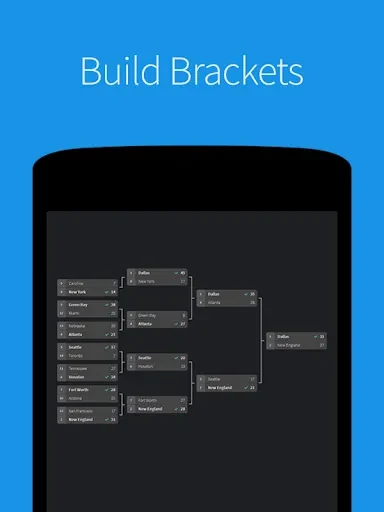
When the tournament structure needs to be prepared before matches begin, the bracket maker lets you create a bracket of the required size and seed the participants. Having the participant list, seeding preferences, and tournament rules ready beforehand can help you set up an accurate bracket that reflects the intended arrangement.
The app is intended for organizers who need to manage the bracket as an event takes shape rather than only display a fixed schedule. The setup can be used for different participant counts, with the bracket created around the size of the tournament.
Running matches and recording progress
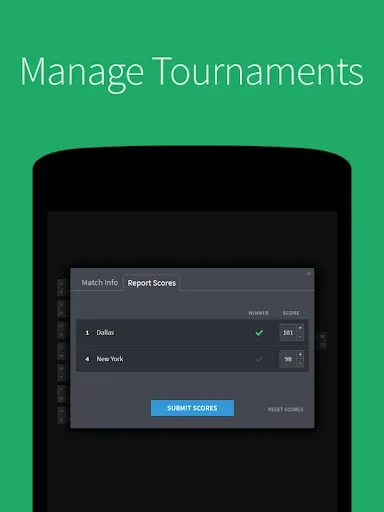
During the tournament, match scores can be submitted through the app. Those scores support bracket updates as the event advances, allowing participants and spectators to follow the results and see how the tournament is progressing.
Regularly entering match results keeps the bracket information current throughout the event. This gives the organizer a way to maintain the tournament record while providing participants and spectators with updated scores and bracket progress.
Choosing a tournament format
For events where one loss removes a participant from contention, Bracket HQ supports single-elimination brackets. It also supports double-elimination brackets for tournaments in which a participant can receive a second chance after losing a match. Selecting between these formats lets the bracket reflect the rules planned for the event.
Customizing the bracket appearance
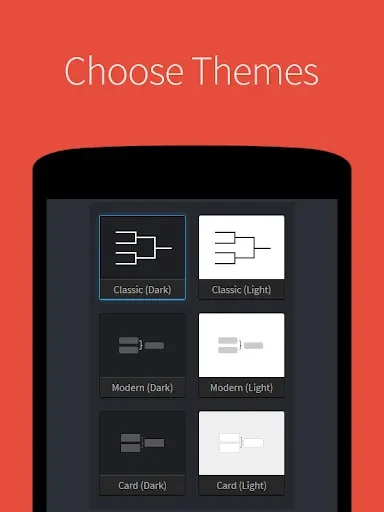
When the visual presentation matters alongside the tournament structure, the app provides a variety of themes. An organizer can choose a theme to align the bracket with an event’s branding or preferred appearance, giving the tournament display a more personalized and cohesive look.
The themes apply to the bracket’s presentation rather than changing the match format or scoring process. They can therefore be considered after the participant list, seeding preferences, and tournament rules have been established.
Version history
View all05 Jul 2024 · stable