

Change Photo Background Editor
Change Photo Background Editor is an Android photo editing app for removing unwanted parts of a picture and placing the edited subject on a new background. It includes erasing controls, default and gallery backgrounds, opacity adjustment, and auto blur effects.
Screenshots
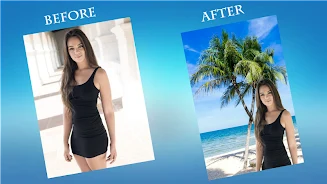

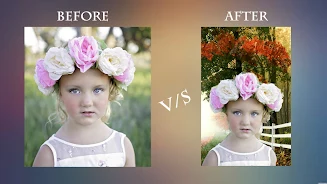
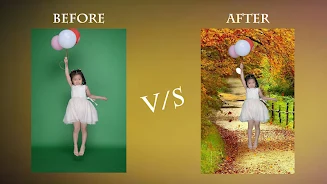
About this app
Change Photo Background Editor is a photography app for Android that focuses on changing the background behind a subject in a picture. Its listing describes it as a single editor for erasing unwanted areas, adding new backgrounds, and positioning the edited photo, with additional blur effects for finishing touches.
Erasing and refinement controls
The erasing tool removes unwanted areas or border lines around an object in a photo. Cursor Offset size and Erasing size adjustments are described as ways to refine the erased area. Finger erasing lets you move a finger across the photo to remove background, which the listing presents as a more direct way to work through the image.
Choosing and placing backgrounds
After the original background is erased, you can add a new one. The app provides default backgrounds, and you can also import your own image from the gallery. The listing states that you control where the edited photo is placed on the background.
Additional editing tools
The app includes an opacity adjustment, a lasso tool, and auto blur effects for further editing. The listing describes the auto blur as a DSLR-style effect intended to make photos more visually appealing.
Starting a project and sharing results
To begin, you can select a photo from your gallery or take a new one with the camera. When the edited image is ready, you can save it and share it through various social apps.
Version history
View all21 Jun 2024 · stable
Frequently asked questions
Which tools help refine the edges of an erased object?
The listing mentions Cursor Offset size and Erasing size adjustments for refining erased areas, which are used alongside the erasing tool to remove border lines around an object.