
Easy Pose - 3D pose making app
MadcatGamesEasy Pose - 3D pose making app supplies adjustable 3D comic-style models that artists can pose and arrange to produce reference images for drawing.
Screenshots
About this app
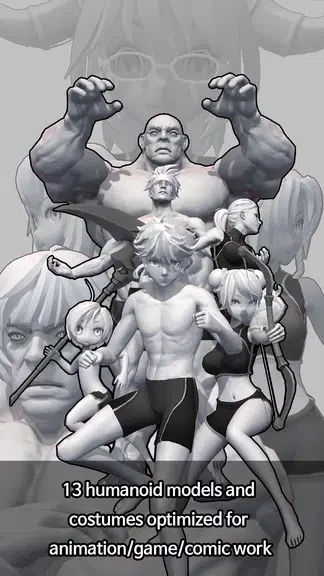
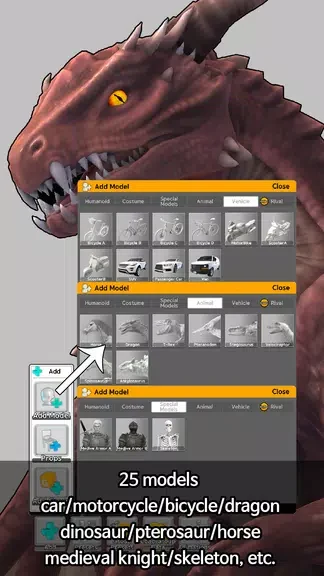
Easy Pose - 3D pose making app supplies adjustable 3D comic-style models that artists can pose and arrange to produce reference images for drawing. The tool replaces physical wooden mannequins that frequently produce stiff results, giving users direct control over main joints for smoother, more natural positioning. Models come in varied body types suited to animation, webtoon, and game illustration work, and scenes can include up to six figures at once. A library of ready-made poses provides immediate starting points, while a mirroring function helps maintain symmetry during adjustments. Users may also alter skin tone, hairstyle, and clothing, save their work, and export finished poses as images or 2D models for use elsewhere. A built-in tutorial explains the controls for new users.
Joint Control and Model Manipulation
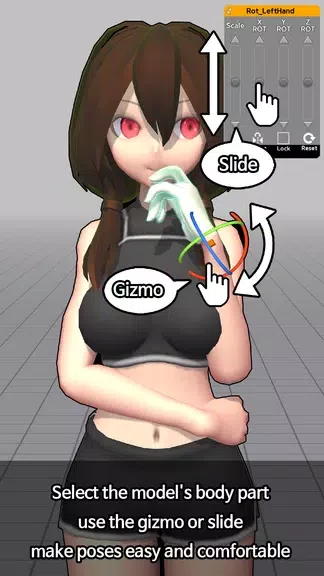
The app focuses on responsive joint handling that lets artists rotate and position limbs without resistance. This direct manipulation supports both simple standing poses and complex action stances, reducing the time spent fighting unrealistic angles that wooden models often create.
Building Scenes with Multiple Figures
Up to six models can be placed and posed together, enabling artists to compose group interactions or narrative moments in a single view. Each figure retains independent control, so one scene can combine different body types and stances without switching between separate projects.
Customization, Mirroring, and Export
Appearance options let users change skin color, hair, and clothing to match specific characters. The mirroring tool copies one side of a pose to the other for balanced results, while save and export functions produce image files or 2D model data that can be imported into other drawing or animation programs.
Pre-made Poses and Learning Support
A collection of completed poses serves as quick reference or inspiration, with new additions supplied through regular updates. Beginners can follow the included tutorial to learn navigation, joint selection, and scene setup before working on original compositions.
Version history
View all08 Nov 2024 · stable
Frequently asked questions
Can I customize the models in Easy Pose - 3D pose making app?
Yes, you can customize the models by adjusting their skin color, hair style, and clothing options.
Is there a tutorial available for beginners?
Yes, Easy Pose offers a tutorial to help users navigate and utilize all the features of the app effectively.
Can I save and export my poses in Easy Pose?
Yes, you can save and export your poses as images or even as 2D models to use in other programs.