

Fake Live Location | GPS
TechnoViral TechnologiesFake Live Location | GPS is an Android utility from TechnoViral Technologies that simulates your device's GPS coordinates so apps read a location you choose. It is described for testing, map previews, and limiting how much of your real whereabouts apps receive.
Screenshots
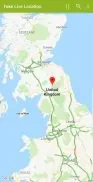
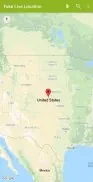
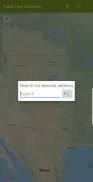
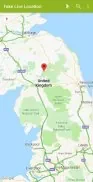
About this app
Fake Live Location | GPS is an Android utility from TechnoViral Technologies that lets you simulate your device's GPS coordinates. According to its description, the app creates a controlled virtual position so that other apps read a location you select instead of the device's real GPS fix. The listing presents this for development testing, map previews, and privacy, and it shows version 1.2.5 in the Lifestyle category.
How the simulated position reaches apps
The app relies on Android's mock location capability. After you grant it permission to act as a mock provider, it supplies the coordinates you choose to the system location services. Apps that request location data then receive those values rather than your real GPS fix. The description states that this works without modifying system firmware.
Setting a position on the map or by hand
A position can be chosen in two ways. The app includes a map for point-and-click selection and fields for entering coordinates directly, so both visual and manual setup are possible. Altitude can also be adjusted, which the description links to specific testing scenarios.
Holding a position and simulating movement
A selected point can be kept as the device's active location, and a toggle starts or stops broadcasting the fake position. For apps that track travel, a route and movement mode simulates motion between waypoints. Listed customization options include adjusting update intervals, changing the simulated altitude, and toggling GPS accuracy.
Saved places and presets
Frequently used locations can be saved as profiles or presets and recalled for repeated tests. The description presents this as a way to reduce setup time when the same places are needed again.
Setup and permissions
After installation, you need to enable developer options and select the app as the mock location provider. The description says the app walks through these steps on first launch. You also grant location permissions and choose whether the app runs in the foreground for persistent operation or only while you test specific apps. The listing notes that some Android versions require additional steps, which the on-screen guidance is meant to cover.
Status feedback and battery use
The interface shows when the mock location is active, so you can confirm its status before opening the app you want to test. The listing describes background location spoofing as designed to be efficient, but it also notes that running background location services can increase battery consumption. Closing the app when you finish is the recommended practice.
Intended users and responsible use
The description names developers, QA testers, content creators, and privacy-conscious users as its intended audience. Examples include checking how an app responds across regions, capturing screenshots from different cities, and reproducing issues that depend on specific places. The description also advises using the tool for testing, privacy, or permissible customization, and notes that realistic speeds help avoid triggering anti-fraud checks in services that monitor movement patterns. Users are also encouraged to review the rules of any service they use with a mocked location.
Version history
View all15 Oct 2026 · stable