

FlightAware APK
FlightAware APK is a flight-tracking application for following commercial flights worldwide and general aviation flights, including private and charter flights in the United States and Canada. It provides searchable flight details, live map tracking with weather overlays, airport delay information, push notifications, and a nearby-flights view.
Screenshots
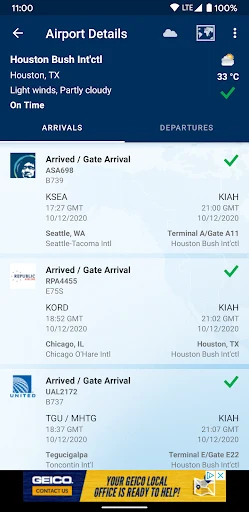
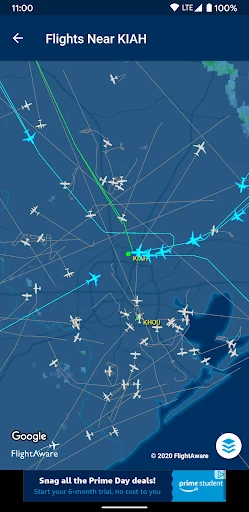
About this app
FlightAware APK is a flight-tracking application for monitoring commercial flights around the world, along with general aviation flights such as private and charter flights in the United States and Canada. Users can search for aircraft and journeys, view current flight information on a map, check airport delays, and receive notifications when tracked flight details change.
Search flights and review status details
The app supports flight searches using a flight number, route, airline, airport code, airport name, or aircraft registration code. After locating a flight, users can view its tracking information and status, including take-off, landing, estimated times, delays, and cancellations when those details are available.
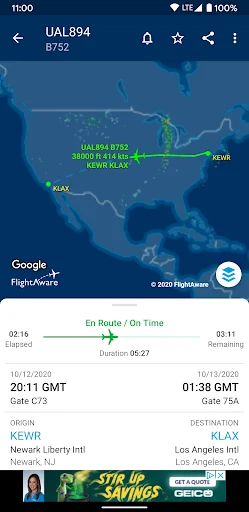
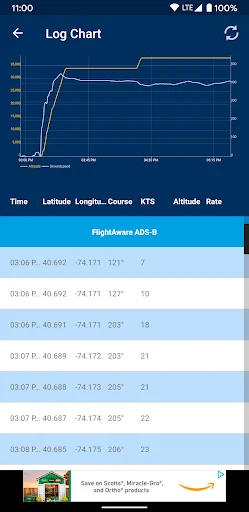
Flight information can include the aircraft's position, altitude, speed, and direction. The source describes data collection through ADS-B ground stations, satellite data, radar sources, and the ADS-B user community. These sources are used to provide tracking information for flights in different locations, including areas over the ocean and other remote regions.
Follow aircraft on live maps
FlightAware APK presents flight paths on a full-screen map. Users can move around the map and zoom in or out to examine a route or view other parts of the airspace. The map can also show weather information through a radar overlay, including conditions such as rain, storms, and snow.
Combining flight paths with the weather layer gives users a way to view the aircraft's route alongside reported weather conditions. The map can be used to follow a selected flight during its journey or to observe activity in another area. It also provides a broader view of the airspace rather than limiting tracking to a single flight record.
Set flight alerts and monitor changes
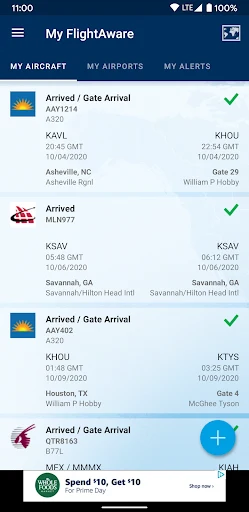
Push notifications can report changes affecting a tracked flight. Supported alert information includes changes to take-off or landing times, gate or boarding terminal details, delays, and other flight-status updates described by the source. Users can customize the alerts for particular flights or airports and can follow multiple flights at the same time.
These notifications can be used when monitoring a personal journey or when arranging to meet passengers at an airport. Tracking an arrival and receiving a status update can help users adjust their plans when the flight schedule changes. The alert settings allow the user to choose which tracked flights or locations should generate notifications instead of following every available flight.
View flights near your location
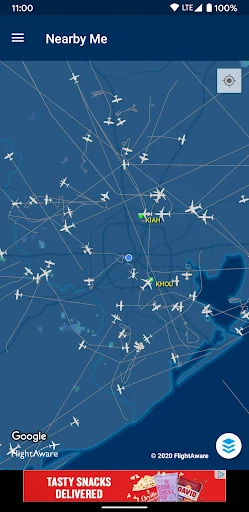
The Nearby Flights feature displays aircraft operating close to the user's current location. The nearby list can show the airline, flight number, altitude, speed, and direction for aircraft in the area. Selecting a nearby aircraft provides a way to identify flights overhead without first knowing the flight number or route.
This view can be used around airports or in areas with concentrated air traffic, and it also supports aviation observation by showing what is moving through the surrounding airspace. Users can examine nearby activity on the map and then use the available flight information to follow a particular aircraft.
Typical tracking workflow
A typical workflow begins with searching for a flight, route, airport, or aircraft registration. The selected flight can then be reviewed through its status details and live map position. Users who need continuing updates can configure notifications for that flight or monitor several flights together. Alternatively, the Nearby Flights view can be used to discover aircraft in the surrounding area, while the weather overlay adds radar information to the map view.
Version history
View all30 Jul 2026 · stable
APK5.14.118 Aug 2025 · stable
APK5.8.025 Oct 2025 · stable