

Genuine-ID
jenID Solutions GmbHGenuine-ID supports identity verification by combining document capture and text extraction with facial checks and result review. Business workflows can also use verification reports, configurable review rules, and options for integration or export.
Screenshots


About this app
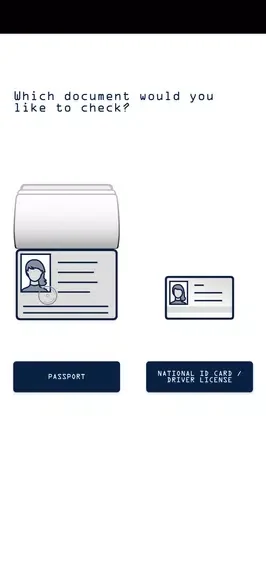
Genuine-ID is an identity verification app for checking identity documents and reviewing the results. Its workflow brings document capture, text extraction, and facial checks into a series of steps, with prompts and feedback to guide each check.
When a document needs to be captured and checked
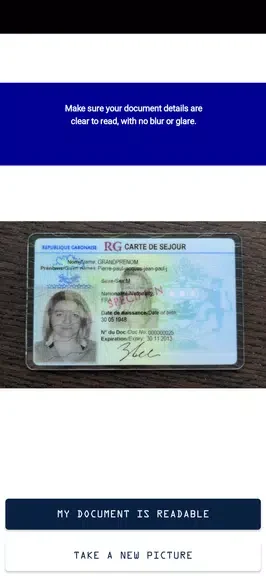
For an identity check, the app can scan passports and IDs and use optical character recognition to extract text fields. Image checks flag issues such as blur or poor lighting, while on-screen guidance helps users adjust a capture. The next step can compare a selfie with the photo on the document using biometric matching, with liveness detection among the listed capabilities. The workflow then presents a result assessment, including confidence scores and suggested next steps.
These capture and review steps are useful when a business needs more than a scanned document: the app can also produce exportable verification reports. The source describes visual overlays and short text tips during capture, as well as feedback intended to help users address problems with a submission.
When verification is part of a business onboarding process
Organizations can connect the app to existing systems through API-based integration for automated onboarding, or use manual export options for compliance work. Verified records can be routed to CRM platforms or secure databases. Batch processing is also listed for higher-volume operations, and an administrator dashboard shows batch status, pending verifications, and export options.
Administrators can adjust verification thresholds, choose whether to enable biometric checks, and add region-specific ID templates. Custom onboarding fields are available, and workflows can direct suspicious submissions to alerts or manual review queues. These controls let a business configure how submissions are handled without treating every result as an identical case.
When records need review and retention controls
The app description lists encrypted storage for captured images and extracted data, administrator access controls for sensitive files, and audit logs that trace verification attempts. Configurable retention policies can be used to set a period after which data is purged. These functions address record access, review history, and retention within an organizational workflow.
When connectivity is intermittent
For field work with inconsistent connectivity, Genuine-ID supports an offline mode that caches captures and performs basic verification locally. Items queued in this mode synchronize with the backend when the device reconnects. The description also notes that heavier biometric checks may be handled by cloud services when available; it does not describe offline mode as providing every cloud-based check.
Version history
View all12 Oct 2026 · stable