

InSaver
InSaver helps users save Instagram photos and videos by copying a post link and pasting it into the app, with support for direct downloads, search-based media access, and quality selection. It also includes profile bookmarks, download history, tag copying, and WhatsApp saving tools.
Screenshots


About this app
InSaver is a download tool for saving Instagram photos and videos when you want to keep content on your phone through a short link-based process. The app supports Instagram, Instagram Lite, and IGTV content, and it can also be used for Stories, Reels, and WhatsApp-related saving tasks described in its feature set.
When you have an Instagram link ready
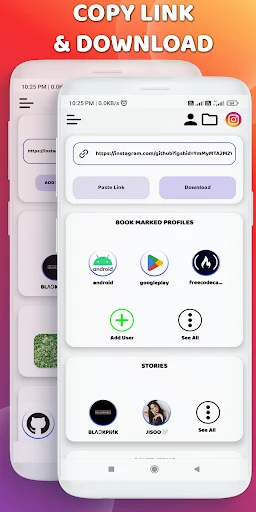
For a post or video found while browsing Instagram, the documented workflow is to copy its link and paste it into InSaver. The app then provides the download process without requiring users to log in to their Instagram accounts. Content can also be shared to the application, giving users another way to pass media into the download flow.
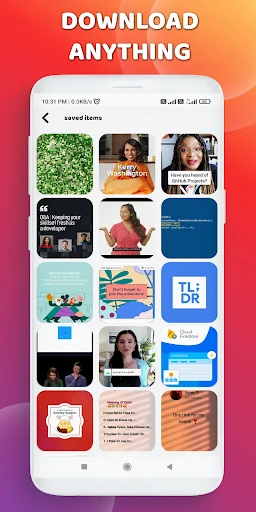
This approach is intended for quick access to saved photos and videos in a few steps. The app records downloaded files in its history, so previously downloaded items have an entry that can help users find them again.
When image or video quality matters
InSaver supports downloading photos and videos in high definition, including the highest possible quality described by the source. This gives users a quality choice when saving Instagram media, while the available device storage is relevant when selecting larger, higher-quality files.
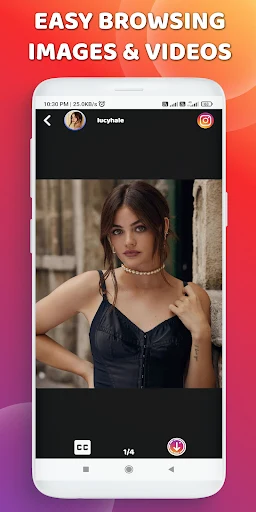
The app is presented for viewing saved Instagram content on the phone, including use after the download for offline viewing. The source specifically identifies support for Instagram, Instagram Lite, and IGTV media.
When you regularly return to particular profiles
Users can bookmark favorite people or profiles whose Stories they download frequently. These bookmarks are intended to make returning to those accounts more convenient, while the separate bookmark downloader feature provides a way to work with saved profile references.
InSaver also offers a search method for finding media, so link pasting is not the only documented route to content. Direct downloading while browsing a news feed is listed as another supported method.
When preparing content to share elsewhere
The app can copy tags associated with an Instagram post. This is useful when users need the post's tags for reposting or sharing on another platform, without manually entering each tag.
A WhatsApp saver is also included as a two-in-one part of the app's listed tools. Together with the download history and profile bookmarks, these functions extend InSaver beyond a single copy-and-paste download action while remaining focused on saving and reusing social media content.
Version history
View all25 May 2026 · stable
Frequently asked questions
Does InSaver require an Instagram login?
The source states that InSaver does not require users to log in to their Instagram accounts to download or repost images and videos.
Can InSaver copy Instagram post tags?
Yes. The app can copy tags associated with an Instagram post for reposting or sharing on other platforms.