

Komik Station
Komik Station is an Android comic reader for importing, organizing, and reading comics, manga, manhwa, and manhua. It combines search, categorization, bookmarking, thumbnails, and a modern library interface.
Screenshots
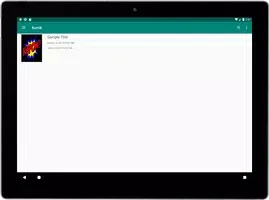
About this app
Overview
Komik Station is a comic reader designed to help Android users import, organize, and read digital comics more comfortably. The app presents imported collections in a structured library, making it easier to browse content by genre or reading status. It supports manga, manhwa, and manhua, while search and favorites help users return to titles they want to find quickly. During reading, dual-spread pages, page thumbnails, and continuous bookmarking provide practical tools for navigating longer comics. Its modern interface is intended to keep everyday operation straightforward, and the app is described as using a small amount of device memory.
What You Can Do
⭐ Import comics into the app and view them through a digital library instead of handling each file separately.
⭐ Search the collection to locate specific comics more quickly.
⭐ Save titles to Favorites so preferred comics are easier to access later.
⭐ Browse comics by genre or status, giving the library more structure when the collection grows.
⭐ Read manga, manhwa, and manhua within the same comic-reading app.
⭐ Use dual-spread pages, page thumbnails, and continuous bookmarking to move through a comic and return to your reading position.
Using the App
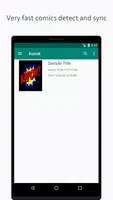
The workflow begins with importing comics into the library, where the app detects and syncs comic content quickly according to the supplied information. Once titles are available, the library management system helps organize the collection for browsing. Search, favorites, genre filters, and status-based browsing offer several ways to reach a title without relying on one long list.
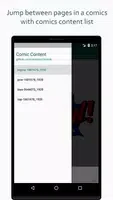
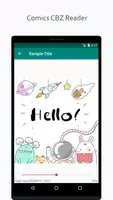
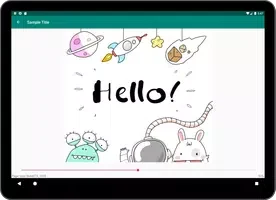
While reading, dual-spread pages can present two-page layouts, while thumbnails make it possible to scan pages and jump through a comic more directly. Continuous bookmarking keeps track of reading progress for a more consistent return to unfinished material. The app is also described as requiring low memory space and using a modern design for convenient operation.
Why It May Appeal
✅ It brings collection management and comic reading together, so imported titles can be organized and read from one library.
✅ Multiple browsing methods, including search, favorites, genres, and status, can make larger collections easier to navigate.
✅ Page thumbnails and bookmarking support readers who want to review pages or continue where they stopped.
✅ The project and library are identified as open source, with the supplied source link pointing to github.com/onursert/komik.
Things to Consider
❎ The app is intended for imported comics, so reading depends on having compatible comic content available to add to the library.
❎ The listed package size is 4.5 MB, but the source recommends keeping an additional 100–500 MB free for updates and cache management.
❎ The stated system requirement is Android 5.0 or newer, which excludes devices running earlier Android versions.
Version history
View all07 Jul 2026 · stable
Frequently asked questions
What is Komik Station used for?
Komik Station is an Android comic reader for importing, organizing, browsing, and reading comics, manga, manhwa, and manhua.
Which Android versions are supported?
The supplied information states that Android 5.0 or newer is required.
How much storage should be available?
The listed package size is 4.5 MB. The source also recommends an additional 100–500 MB of free space for updates and cache management.
Can I organize comics in the library?
Yes. The app supports search, favorites, browsing by genre, browsing by status, and library management for imported comics.
Does the reader support bookmarks and page previews?
Yes. Komik Station supports continuous bookmarking, dual-spread pages, and page thumbnails for navigating comics.