
LED Flow
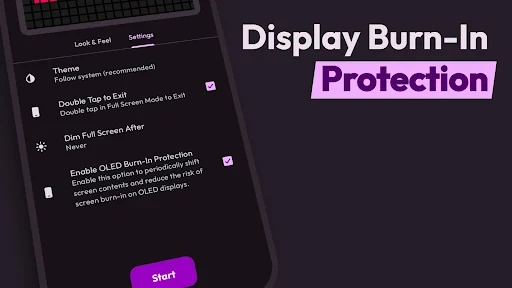
LED Flow is an Android app for creating scrolling LED-style messages and digital sign displays. It supports customizable text, fonts, colors, patterns, movement direction, scroll speed, glow and blink effects, plus OLED burn-in protection and a double-tap exit control.
Screenshots
About this app
LED Flow creates scrolling LED-style text displays for messages, announcements, greetings, promotions, and other situations where a prominent visual sign is useful. Its controls cover the appearance of the text, the LED-like background, movement direction, speed, and display effects, while additional settings address longer viewing sessions and quick exit.
What can LED Flow display?
The main function is a scrolling text banner that presents entered content in an electronic-billboard style. The message can move continuously across the screen, making it suitable for displaying information at an event, sharing a greeting, communicating in a crowded place, or expressing a message in a more visual way.
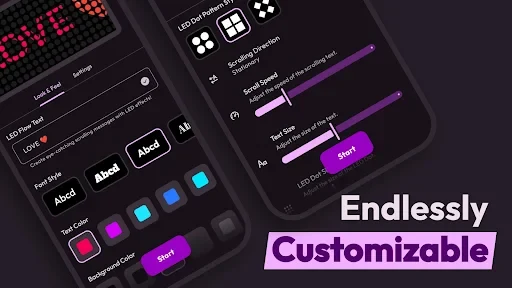
The app provides three marquee modes: left-to-right, right-to-left, and stationary. This means a message does not have to move if a fixed display is more appropriate. For moving text, the scroll speed is adjustable, so the display can be set to move more slowly for readability or more quickly when a livelier visual effect is wanted.
How can the message appearance be customized?
LED Flow allows the text to be adapted through font selection, text size, and text color. Different font styles can be used for a simpler or more decorative appearance, while the size can be changed to make content easier to view at different distances. A broad color selection is described in the source, including blue, cyan, green, orange, pink, red, turquoise, white, yellow, and other shades.
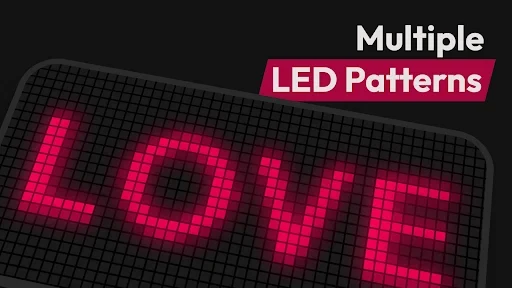
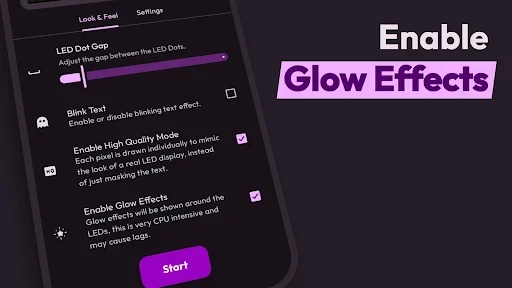
The background can also be adjusted with different colors and LED dot pattern styles. Controls for dot size and the gap between dots help shape the matrix-style appearance of the display. These options are useful when the goal is to make the text look more like a deliberately designed LED sign rather than plain text on a screen.
Does it include visual effects?
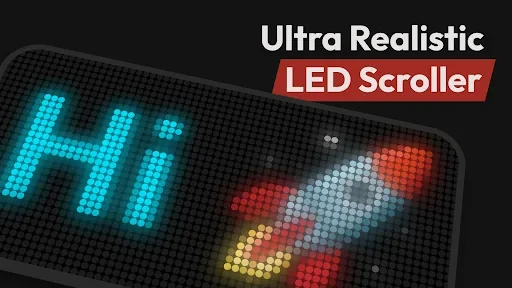
The text can blink to add emphasis, and glow effects can give the display a brighter neon-like appearance. LED Flow also describes a High Quality Mode that simulates the look of a real LED display rather than simply placing ordinary text over a screen. This mode is intended for users who want a more lifelike sign-style presentation.
Can the display be used for events or announcements?
The documented use cases include events, product promotion, public messages, greetings, and creative personal expressions. A continuously moving line can help present a short message where it needs to be noticed, while stationary text can work when the viewer needs more time to read. The adjustable speed and visual controls allow the same basic message-display function to be adapted to different settings.
What controls are available for longer display periods?
LED Flow includes an OLED burn-in protection mode, described as helping prevent screen damage during longer display periods. The source also identifies a night mode with either a less bright light or a shorter sound, intended to reduce disturbance while sleeping. These settings are relevant when the display or alert behavior needs to be less intrusive.
Does LED Flow handle notification alerts?
The source also describes alert customization on devices whose models allow it. Different colors can be assigned to alerts, and some alert types, such as a charged battery or Bluetooth event, may have preset colors while others can be adjusted. Repetitive vibration and sound patterns are mentioned as additional alert distinctions, including situations where several alerts use the same color.
The notification feature is therefore dependent on the capabilities of the device model. The source does not identify a universal set of supported devices, so the availability of particular LED colors or alert controls should be understood as model-dependent rather than guaranteed for every Android phone.
Are there controls for navigating the display?
A double-tap-to-exit option is included for leaving the display quickly. The source presents the interface as organized around entering text and adjusting the font, color, speed, and display style, with clearly identified icons intended to make those controls easier to locate.
Version history
View all14 Jul 2025 · stable
Frequently asked questions
What version of LED Flow is listed?
The supplied directory data lists version 1.0.7.