

Legendary VPN - FREE
SNFX Net SolutionLegendary VPN - FREE is described as a tool for connecting to a VPN server and deploying VPN Server software on-premises or in the cloud. Its described controls include server selection, auto-connect, protocol and encryption settings, and website or app whitelisting.
Screenshots
About this app
Legendary VPN - FREE is a VPN app for connecting to a VPN server and setting up VPN Server software for different network needs. The description identifies internet privacy, employee remote access, IoT devices, and cloud data-center networking as intended uses. It also describes server deployment on-premises with standard servers or virtual appliances, or through the cloud.
VPN connections and deployment
The app is presented as a way to connect to a VPN server through a simple interface. Server software deployment is described separately, with on-premises and cloud options for organizations or users choosing how to run a VPN service. These options address different setups rather than requiring one deployment approach.
The listed use cases range from an individual seeking a VPN connection to teams needing remote access or networks connecting IoT devices and cloud data centers. The description does not provide technical requirements or setup steps for those scenarios, so the appropriate server arrangement depends on the intended use.
Connection choices
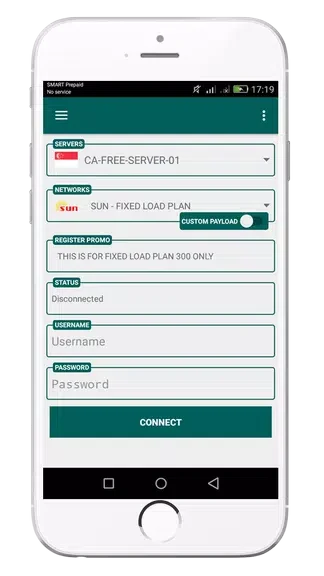
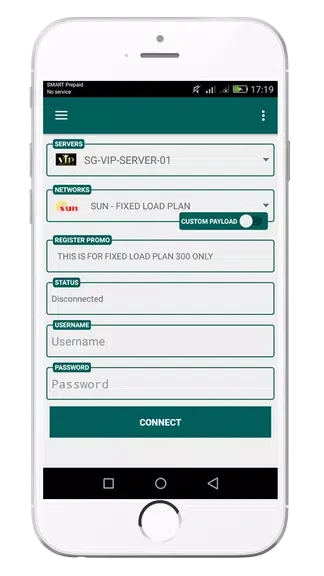
Users can choose a server location before connecting. The description suggests considering the purpose of the connection when making that choice, including online security or accessing geo-restricted content. It also lists auto-connect as a setting that can connect the app to a VPN server when a device goes online, which may suit people who move between networks.
Configurable security settings
Legendary VPN - FREE is described as supporting encryption protocols intended to protect data communications. Its settings are said to let users adjust encryption levels and select protocols. The description also lists whitelisting specific websites or apps, allowing users to configure which destinations or applications are handled according to their preferences.
Together, server selection, automatic connection, and configurable settings provide controls for using the VPN connection. Deployment options cover where VPN Server software can run, while the connection settings address how users connect and tailor their use of the service.
Version history
View all16 Aug 2024 · stable