

Meeye, Classic MeeGo Icon Pack APK
Meeye, Classic MeeGo Icon Pack APK is an Android icon theme with a library of more than five thousand icons, an animated calendar icon, matching wallpapers and a built-in icon request tool. The listing says it works with several third-party launchers, including Nova, Apex, Lawnchair and Action Launcher.
Screenshots
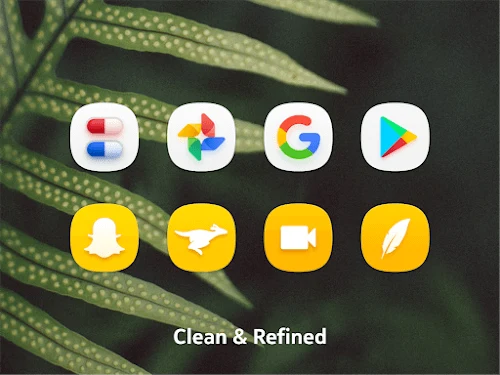

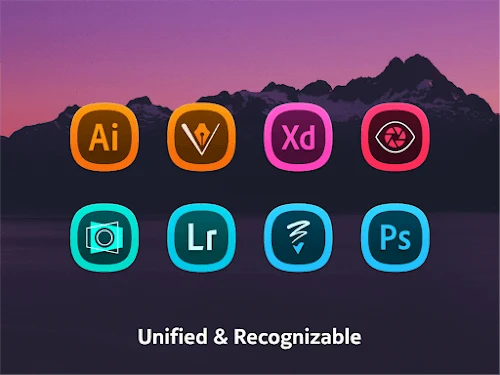
About this app
Who the icon pack is for
Meeye, Classic MeeGo Icon Pack APK is an icon pack in the Theme category. It is aimed at people who want to change the look of their Android home screen. The listing describes the icons as contemporary and inspired by the MeeGo style, and it presents the pack as suited to users who enjoy creative customization and want to refresh the interface of their phone.
Icon library and search
According to the description, the library contains more than five thousand icons that cover many commonly used applications and games. Users can search for icons according to their own style. The listing states that each icon was designed individually by designers and that the icons are provided at a resolution of 192×192.
Animated calendar icon
The pack includes a calendar icon that the description says updates its animation each day to show the day of the month. The listing presents this as a way to make the home screen more interactive.
Wallpapers and launcher support
Meeye also includes wallpapers that the listing says were designed to be used with the icon set. The description states that the pack is compatible with several third-party launchers, naming Nova Launcher, Apex Launcher, Lawnchair and Action Launcher. The phrase etc. in the listing suggests other launchers may be considered, but the description does not confirm full support for any launcher beyond those named. The listing also says the icons are intended to look suitable on both dark and light themes.
Requesting missing icons
For apps that lack a matching icon in the set, the pack includes an icon request tool. Users submit a request for the icon they want, and the description says the developers will try to add it in a future release. The listing does not give a timeframe for this, so users should not expect a specific response time.
Updates
The listing says the developers prepare new icon packs and update the app so that newly released apps are supported and usability is improved. It describes updates as regular but does not give a schedule. The version shown in the listing is E-9.2.
Points to check before installing
The description does not list permissions, the minimum supported Android version or the file size, so these details should be checked on the app's installation page before use. The listing also contains promotional wording that refers to a modified version and to avoiding download fees. This article does not endorse any modified version, and users should install the app only from a source they trust.
Version history
View all21 Jan 2025 · stable
Frequently asked questions
Does the listing state the minimum Android version?
No. The supplied description does not state a minimum supported Android version, so check the app's installation details before installing.
Does the listing describe the app's permissions?
No. The description does not list the permissions the app requests, so review them on the installation page before use.