

Neat Nest - Cleaning Service
TetravergeNeat Nest - Cleaning Service helps users arrange residential cleaning, choose service options, manage appointments, communicate with cleaners, and handle payments through one Android app. It supports one-time and recurring visits, customizable cleaning requests, saved household preferences, and stored receipts.
Screenshots
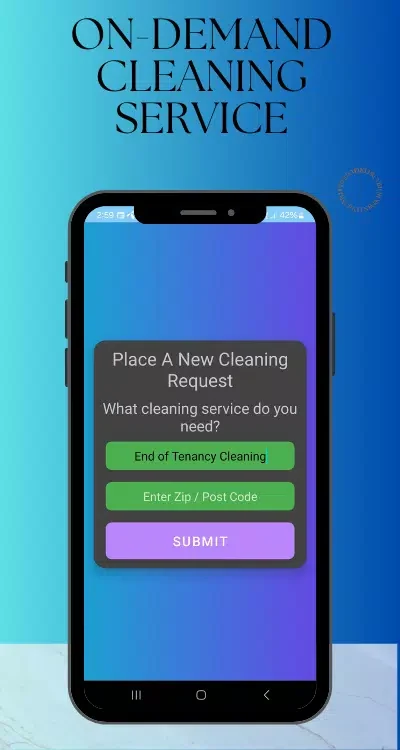

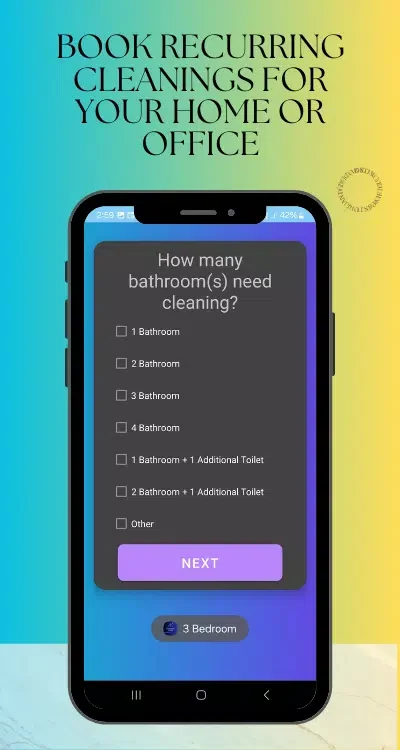
About this app
Neat Nest - Cleaning Service is designed for arranging residential cleaning when users want to choose a service, select a time, and manage the visit without relying on phone calls or extended email exchanges. The app brings booking, cleaner information, appointment communication, and payment handling into one workflow.
Choosing a cleaning service and time
Users can browse available services and use filters based on cleaning duration, number of rooms, and available time slots. The booking flow supports one-time deep cleans as well as weekly, biweekly, or custom recurring plans. A booking can include instructions, and the selected slot is confirmed in the app.
Service suggestions are based on apartment size and family needs, while the confirmation screen brings together the estimated cost, expected tasks, and cleaner details. This gives users a single place to review the main arrangements before the visit.
Matching household priorities to the request
Different homes may require different instructions, so Neat Nest - Cleaning Service provides customizable checklists and add-ons. A request can include eco-friendly products, pet-safe cleaning, refrigerator or oven deep cleaning, laundry, and ironing. Preferences can be saved for an address so that repeat bookings can apply the household’s usual instructions.
Reviewing cleaner information before booking
The profile library provides cleaner biographies, ratings, specializations, and previous client photos for users to review. The source also describes background checks and performance reviews for cleaners. After a visit, customers can leave ratings, which contribute to future recommendations within the service.
Coordinating the visit inside the app
In-app messaging lets customers exchange notes with cleaners and coordinate before the appointment without sharing phone numbers. Cleaners can provide estimated arrival times and completion photos when requested. Push notifications can report arrivals, confirmations, and changes as the booking progresses.
Managing recurring visits and changes
For households that need regular maintenance, recurring scheduling establishes a selected cadence and manages slots and reminders. Users can also reschedule flexible plans. Routine visits can be rebooked from the home screen, while the booking history includes previous reservations and canceled requests.
Handling costs and records
The app presents estimates, add-on choices, and itemized receipts for each visit. Multiple payment methods can be stored and processed within the app. Payments are authorized when a booking is made and finalized after completion, with cancellation policies shown as part of the payment handling. Receipts and invoices remain available for expense tracking.
Setting up an account and household addresses
New users can create an account with an email address or a social login, then add one or more addresses. The onboarding flow explains the available services and can suggest an introductory offer. Location details are used for scheduling and route planning, and privacy controls allow users to manage consent settings and how personal information is shared.
Using the app on Android devices
The source describes Neat Nest - Cleaning Service as optimized for a wide range of Android devices. Lightweight data use is intended to reduce demands on mobile plans, while caching supports repeated actions such as rebooking. The app also provides a history of bookings and canceled requests for reference.
Version history
View all14 Oct 2026 · stable
Frequently asked questions
Can I add more than one home address?
Yes. New users can add one or more addresses to their account, and saved preferences can be associated with an address for repeat bookings.
What payment records are available after a cleaning visit?
Receipts and invoices are stored in the app, allowing users to review itemized visit costs and track expenses.