

Perfect Trans
Europe TradePerfect Trans is a translation toolkit for Android that converts text, speech, and images between many languages, using cloud models and downloadable offline packs. Its voice conversation, camera overlay, and editable dictionaries are gathered into one interface.
Screenshots



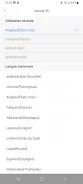
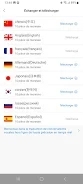
About this app
Translating text, speech, and images in one app
Perfect Trans is described as a mobile translation toolkit that handles typed text, spoken conversation, camera captures, and whole documents. The developer positions it for travel, study, and everyday conversations, with the main tools grouped in a single interface rather than separate apps.
How the main tools fit together
The interface is organized around four tabs: Translate, Camera, Conversation, and Library. Translate provides an input field for text and quick switching between languages. Camera opens a live viewfinder that overlays translated text on signs, menus, or labels. Conversation provides a split-screen voice mode for two languages, with continuous speech recognition, language detection, and playback. Library keeps saved translations, custom glossaries, and downloaded language packs in one place.
Document import is also listed as a feature. According to the description, PDF, Word, and plain text files can be translated while basic formatting is kept. Clipboard and keyboard integration allow copied text to be translated and a multilingual keyboard to be used for replies.
Cloud translation and offline packs
The app combines cloud-based neural machine translation for longer, more fluent output with compact offline language packages. Offline packs must be downloaded in advance and are intended for use without a data connection. The description notes that popular pairs such as English-Spanish and English-French have smaller file sizes. Speech recognition and image text extraction are handled by separate specialized models.
Glossaries, phrasebooks, and personal settings
Users can add entries to a personal dictionary, lock preferred translations, and choose between formal and casual registers. User-selected glossaries are meant to help domain-specific terms, such as technical vocabulary or brand names, come out consistently. A phrasebook and translation history are included for reusing earlier wording. Settings also cover whether data is synced to the cloud and whether audio fragments are stored on the device.
Practical situations
The developer describes several scenarios: a traveler translating a menu or timetable with the camera tool, a student pasting paragraphs for annotated translations, and a business user translating short documents or joining multilingual calls. These are the uses the description outlines; the app does not claim to replace professional translation services.
Permissions, privacy, and pricing
After installation, microphone and camera permissions are needed for the voice and image features. The source states that the app typically offers a free tier with core tools and limits on daily cloud queries. A premium subscription is described as adding more cloud translations, higher-quality voices, and document translation. Privacy options allow cloud sync to be disabled so that translation history stays on the device.
Version history
View all15 Oct 2026 · stable
Frequently asked questions
Does Perfect Trans work without an internet connection?
Partly. The description says that downloaded offline language packs allow translation without data access. Cloud-based neural translation for longer texts requires a connection.
Which permissions does Perfect Trans need?
The description says microphone and camera permissions are needed to use the voice and image translation features.