

PhotoShot
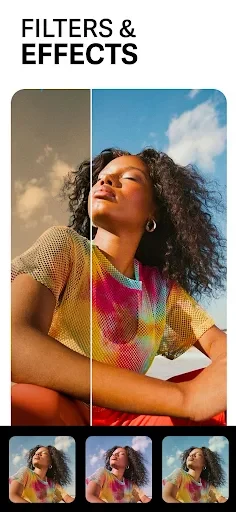
PhotoShot combines AI-based photo enhancement with tools for changing skies, replacing backgrounds, recoloring fabric, and adding creative effects. It also includes stickers, text tools, LightFX overlays, and a selection of built-in editing resources.
Screenshots
About this app
PhotoShot helps turn blurry, noisy, faded, or ordinary images into more polished pictures through a combination of AI enhancement and creative editing tools. Its photo enhancer is designed to reduce blur and noise, improve low-resolution images, and restore stronger color to older photos. Beyond correction, the app lets you replace skies and backgrounds, adjust clothing texture and color, add overlays, place text, and decorate images with stickers. This makes it useful for people who want to repair a picture, alter its setting, or create a more stylized result without using separate apps for each task.
Improve blurred, noisy, and faded photos
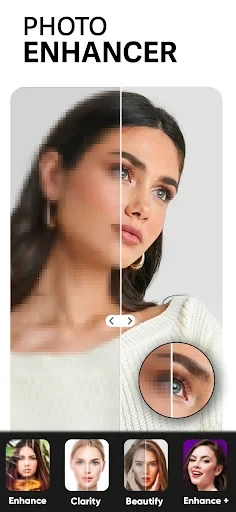
The built-in enhancement tool focuses on common problems that can make a photo look less clear. PhotoShot uses AI technology to reduce blur and noise and convert images into higher-definition results. The same tool can be used to bring more vibrant color into an image or restore color in faded older photographs. These functions place basic restoration and color improvement together, so an image can be corrected before other edits are applied.
Replace the sky while keeping the scene together
The Sky Transformer changes the sky surrounding a subject or landscape. Users can erase the existing sky and select from high-resolution sky options, including 50 sky images described in the source material. After choosing an option, they can adjust the tone, horizon, clouds, and overall atmosphere. The app is designed to leave surrounding details and the main subject unaffected, allowing the sky change to work as a focused alteration rather than a full-scene replacement.
Change backgrounds and refine the cutout
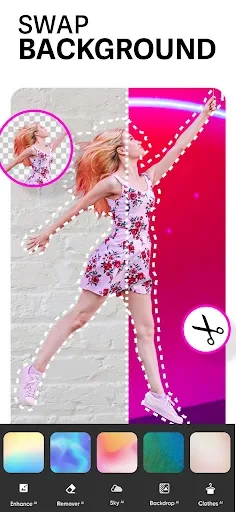
PhotoShot can remove an unsuitable or flawed background and replace it with another image. Users may select from more than 100 built-in wallpapers or download new backgrounds from the internet. Automatic subject cropping is intended to preserve the subject’s natural contours and sheen during the composition. After placing the subject on the new background, users can adjust the stroke, shadow, and image blur to help control how the cutout sits within the scene.
Restyle clothing and fabric
The fabric editing feature is aimed at changing the appearance of clothing in a photograph. It can alter fabric texture and color, allowing an old garment or an unwanted shirt color to take on a different look. This gives the clothing edit a more specific purpose than applying a general color filter, since the tool is described as working with both the material’s texture and its color.
Add overlays, text, and decorative elements
For more creative edits, PhotoShot includes LightFX overlays that add transparent light or color effects. Users can also place text on images with more than 100 fonts and insert stickers to make a composition more distinctive. These additions can be used after enhancement or background work, combining corrective edits with typography, lighting effects, and decoration in the same project.
Storage and installation information
The source lists an approximate storage requirement of 54.2MB for the base file. The final space used may vary slightly depending on the device and on other data downloaded during use. Installation can also be affected by insufficient storage, an unstable network connection, or Android-device incompatibility; the supplied information does not state a specific minimum Android version.
Version history
View all10 Jun 2026 · stable
Frequently asked questions
What can PhotoShot do with blurry or old photos?
Its AI-based photo enhancer is described as reducing blur and noise, improving low-resolution images, and restoring more vibrant color to faded photographs.
Can PhotoShot replace a photo background?
Yes. It can remove an existing background, use one of more than 100 built-in wallpapers or a background downloaded from the internet, and automatically crop the main subject for composition.
How many sky options does PhotoShot provide?
The source describes 50 high-quality sky options. Users can also adjust the selected sky’s tone, horizon, clouds, and overall atmosphere.
How much storage does PhotoShot require?
The base file requires approximately 54.2MB, although the total space may vary slightly by device and by additional data downloaded during use.
Why might PhotoShot fail to install?
The supplied information lists insufficient storage, an unstable network connection, and incompatibility with an Android device as possible causes.