

Quick flow VPN
Aleksei IvanovQuick flow VPN is a VPN app for Android that routes your connection through a network of servers, according to its listing, to help you reach blocked websites and apps and stream content from other regions. Its listing also describes a Kill Switch that cuts your internet connection if the VPN drops.
Screenshots
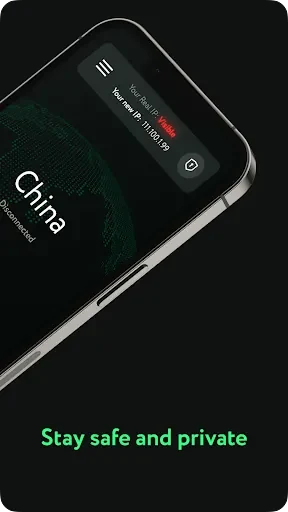
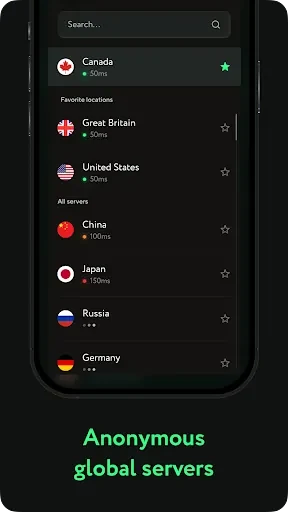
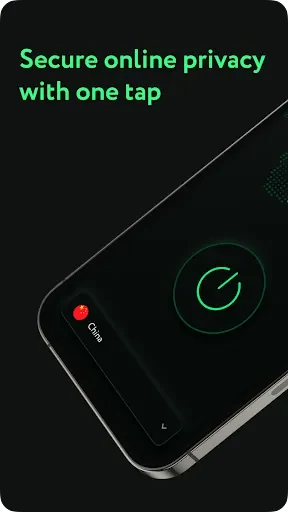
About this app
Quick flow VPN is an Android VPN app for people who want to reach websites, apps, and streaming content that may be blocked or unavailable where they are. According to its listing, the app connects you to a network of servers in many countries, and it is presented as a tool for everyday browsing, video streaming, gaming, and use on public Wi-Fi.
Connecting through a server network
The app's core function is connecting your device to a remote server. The listing describes this network as made up of free servers located worldwide. Because you choose where your traffic exits, the app lets you pick a location that matches the content you want to reach. The listing also says the app does not limit connection speed or session length, but these are developer claims and have not been independently verified here.
Accessing blocked content and streaming
The listing says Quick flow VPN can open blocked websites, apps, and social networks, including sites restricted by a government or streaming services not offered in your country. It also presents the app as a way to improve video streaming and online gaming. Those performance claims come from the developer's description and should be checked against your own network conditions and expectations.
The listing also states that the app encrypts online traffic, which it presents as a privacy benefit on public Wi-Fi hotspots. Encryption claims of this kind describe what the developer says the app does, not a guarantee of anonymity.
Setup and everyday use
According to the listing, the app is meant to be simple to use. It states that no complex configuration is needed and that installing the application is the main setup step. Beyond that, the listing does not describe a detailed setup workflow, so users should expect to follow the on-screen prompts in the app itself.
Server selection and the Kill Switch
The listing gives practical guidance on choosing a server. It suggests selecting a server close to your physical location to potentially improve speed and reduce latency. If you experience slow speeds or connection problems, the listing recommends trying other servers, which the app allows you to switch between.
The app also includes a Kill Switch, which the listing describes as automatically ending your internet connection if the VPN connection drops. This is intended to keep your traffic from reaching the internet without the VPN protection, and the listing recommends turning it on.
Version history
View all03 Jul 2024 · stable