
Repeat Alarm
Repeat Alarm is an Android reminder app for recurring tasks that need attention throughout the day. Users can define repeat days, start and end times, intervals, reminder types, and alert sounds for activities such as medication reminders, drinking water, eye breaks, stretching, exercise, meals, and rest.
Screenshots
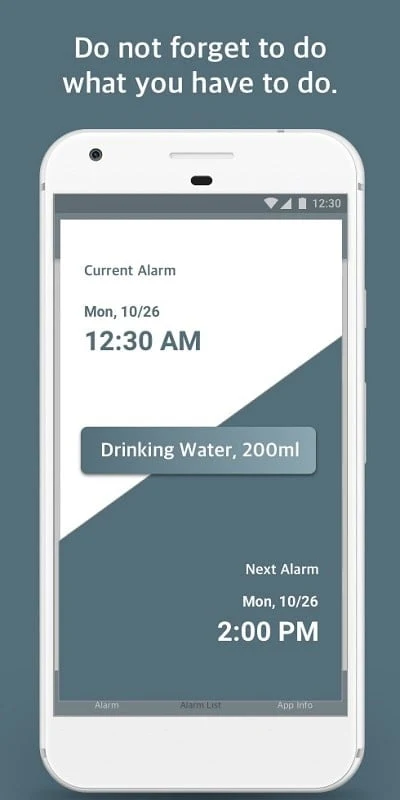
About this app
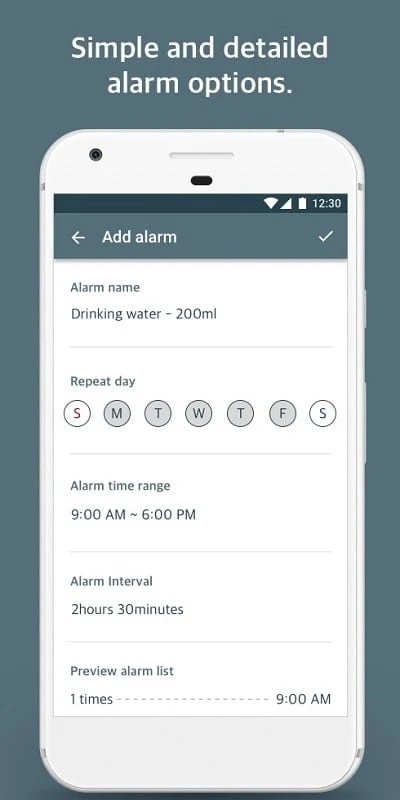
Repeat Alarm is an Android reminder application for organizing recurring tasks that are easy to overlook, such as taking medication, drinking water, stretching, or taking a break. Its alarm setup centers on a small group of fields: an alarm name, repeat day, start and end time, and alarming interval. This gives users a way to create recurring alerts around a daily routine or another schedule that requires repeated attention.
Setting up a repeating schedule
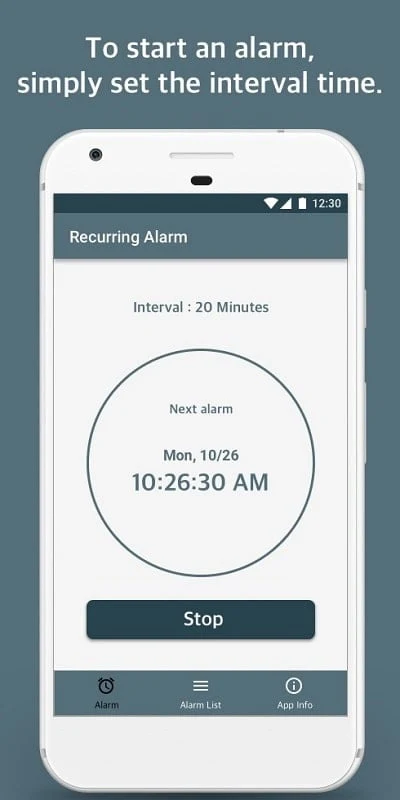
When a task needs more than a single notification, users can configure the days on which it repeats, choose when the alert cycle begins and ends, and set the interval between alerts. The app is described as working like a timer with interval and repetition capabilities, so one reminder can cover a defined period instead of requiring a separate alarm for every occurrence.
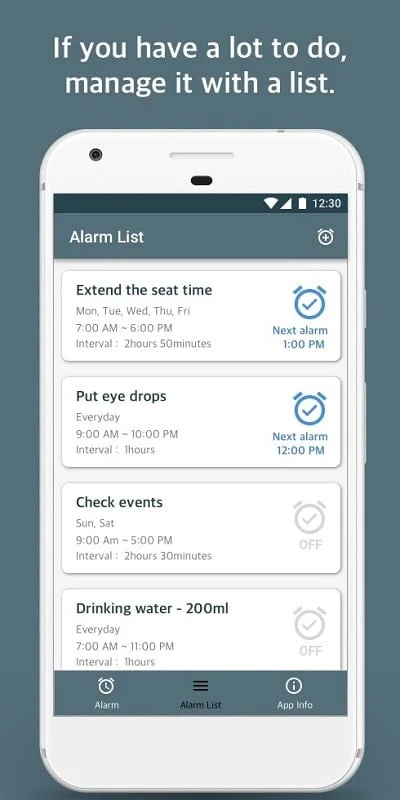
The setup can be adapted to different schedules, including cyclical work patterns and regular study or office routines. Users can name each alarm so its purpose is clear, then use the repeat settings to distinguish one recurring responsibility from another. The documented controls support both the timing of the alerts and the period during which they should continue.
Using reminders for routine activities
Repeat Alarm includes several reminder types aimed at common recurring activities. An hourly reminder can indicate what needs attention next, while a medical reminder can signal that it is time to take medication. A regular eye drop reminder is described for repeated eye-care prompts during long periods of work, and a water reminder can notify users at hourly intervals when it is time to drink water.
Other listed options address activity and rest. An extended reminder can indicate that it is time to become active, while a thread break reminder can mark a pause during work, study, or exercise. These labels give users different ways to organize reminders around personal, work, and rest-related routines rather than treating every alert as the same type of task.
Choosing how alerts sound
The Customize Tone function lets users select a repeat mode, reminder method, and alarm tone according to their preferences. Alarm sounds can come from audio files stored on the phone or from recorded custom ringtones. The source also describes the option to use audio obtained from the internet, giving users several ways to provide a sound for an alert.
Different reminders can share one tone, or users can assign different tones to help distinguish alert types. In addition to sound, the available alarm modes include vibration and silence. These choices allow the alert method to be matched to the reminder, whether a user wants an audible signal, a vibration, or a silent notification style.
Managing wake-up and personal alarms
The app also describes alarm controls intended for waking up. Users can adjust alarm volume and choose personal audio as a ringtone, which allows a wake-up alarm to use a sound from the device rather than relying on a fixed tone. The documented benefits also mention customizable alarm interfaces and an option to keep an alarm active while snoozing instead of dismissing it.
For users who want an interactive way to turn off an alarm, the source describes math puzzles or mini-games as possible shut-off tasks. These wake-up-oriented controls are presented separately from the recurring reminder schedule, adding customization for alarms used in the morning as well as alerts used during the day.
Supporting an organized daily routine
Recurring reminders can be assigned to activities such as exercising, eating, resting, or completing work-related tasks. By placing these activities into named schedules with defined times and intervals, users can structure several parts of the day in the same application. The source presents this as a way to reduce missed routine tasks and avoid postponing responsibilities, without requiring every reminder to use identical settings.
Repeat Alarm therefore combines repeated timing, several reminder categories, and configurable alert methods in one Android application. Its documented controls cover the schedule of an alert, the period in which it repeats, the type of activity it represents, and the sound or vibration used to signal it.
Version history
View all30 Jul 2025 · stable