
Star Walk 2
Star Walk 2 is an Android astronomy app for identifying and exploring stars, constellations, planets, satellites, comets, and other celestial objects. It combines a real-time sky map, augmented reality viewing, time-based sky changes, 3D constellation models, and astronomy information for learning and stargazing.
Screenshots

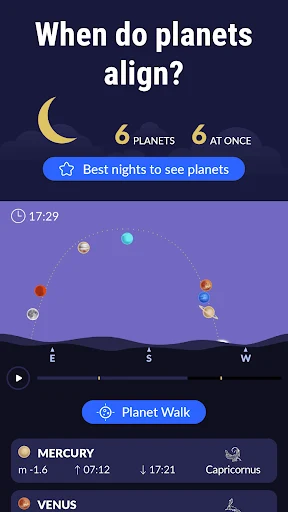
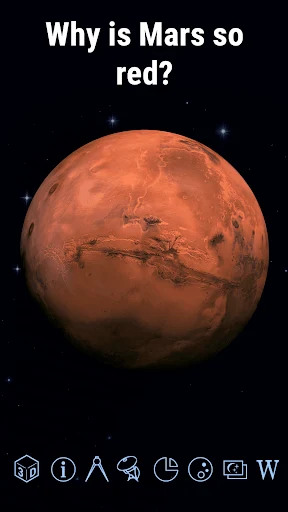
About this app
Star Walk 2 helps you identify stars and constellations when you want to understand what is visible above you. Its interactive sky map uses your device location and orientation to show celestial objects around you, while information pages and visual tools support learning about astronomy at different times of day.
Identify objects in the sky around you
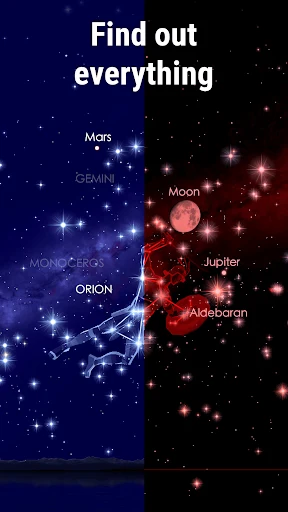
When you are trying to work out which stars or planets are overhead, the real-time sky map provides a visual guide based on the area where you are located. Opening GPS allows the app to display the sky for your location, and matching the position of the Sun or Moon can help orient the map. A compass indicates north, which is useful for finding the correct direction even when the Moon is not visible.
The map covers stars, constellations, planets, satellites, comets, asteroids, spacecraft, nebulae, meteor showers, and other deep-sky objects described in the source. A pointer can help you locate a selected celestial body, while the map can be moved in different directions, zoomed with pinch and stretch gestures, and rotated for closer exploration. This makes the sky chart useful for examining an object’s position rather than only reading its name.
Use augmented reality to connect the map with the view ahead
For a more direct stargazing view, the augmented reality mode uses the device camera to place charted stars, constellations, planets, satellites, and other sky objects over live images. Tapping the camera control activates this view, allowing the mapped objects to appear superimposed on the scene shown by the phone.
The source also describes use with AR glasses or an AR headset. The mode is therefore presented as a way to connect the digital chart with real-life images, while the phone itself can be used for the AR interaction.
Study how the sky changes over time
Star Walk 2 is also useful when you want to examine the sky at a different date or time instead of observing only the current moment. The clock control lets you select a date and time, move forward or backward, and view the movement of stars and planets in fast motion. This provides a way to compare positions from different periods and see how the sky changes over time.
A night mode is available for observing the map at night. The app can also be used during the day, so learning about celestial objects does not depend on waiting for a clear nighttime view.
Learn through constellation models and astronomy information
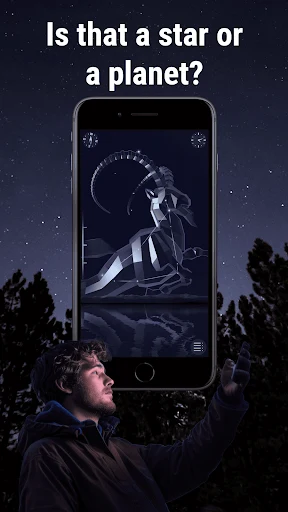
For users who want more context than object names, the app includes 3D models of constellations that can be turned and viewed from different directions. Their stories and astronomy facts add background to the patterns shown on the sky map. The source lists constellations including Andromeda, Aquarius, Aries, Cancer, Cassiopeia, Libra, and Pisces, along with descriptions of planets such as Mercury, Venus, Mars, Jupiter, Saturn, Uranus, and Neptune.
Information sections cover the solar system, stars, constellations, comets, asteroids, spacecraft, galaxies, and other celestial bodies. They can include details about an object’s history, position, and related facts. This gives the map a learning purpose as well as an observation purpose, whether you are reviewing a constellation or exploring an unfamiliar part of the sky.
Keep track of astronomy news and events
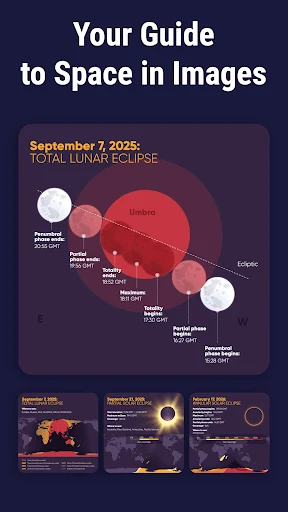
The “What’s new” section presents news connected with outer space and astronomy, including notable astronomical events. The source also mentions events such as the supermoon, sunset, and moonrise. This section is intended to keep astronomy information current within the app and help users notice events that may be worth observing.
Check the device requirements for accurate positioning
Accurate placement of astronomical objects depends on device location and orientation. The source states that GPS and a compass are used to position the sky correctly, and that a compass and accelerometer are among the hardware features required for proper operation. If GPS reception is weak, the compass is not calibrated, or the phone lacks compatible hardware, the displayed positioning may not work as intended.
Version history
View all09 Jul 2025 · stable
Frequently asked questions
Can Star Walk 2 be used without a telescope?
Yes. The source describes Star Walk 2 as a mobile way to emulate and study the night sky without using a telescope.