

Stellio
Stellio is a music player for Android that combines local audio playback with playlist organization, lyrics and metadata display, audio-format support, and sound customization. Its listed tools include an equalizer, playback enhancements, themes, song ratings, cover changes, offline playback, and cloud-storage integration.
Screenshots

About this app
Stellio is a music player for Android focused on playing and organizing music while giving listeners control over sound and appearance. The supplied description presents it as a player for audio files and searchable music, with tools for playlists, lyrics, metadata, ratings, themes, cover art, and playback customization.
Which audio files can Stellio play?
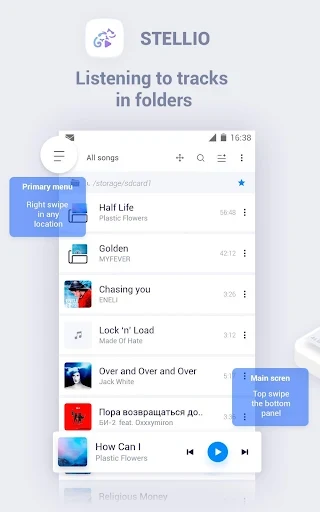
The description lists support for several widely used audio formats, including MP3, FLAC, WAV, OGG, CUE, M4A, and APE. This gives the app a role in managing a varied music library on an Android device, including files that may require different format support. The source also states that the player can search for audio files on the device and play them without requiring format conversion.
Because the source names multiple formats in different sections, the complete supported-format list is not clearly defined. The consistently documented examples are MP3 and FLAC, while WAV, OGG, CUE, M4A, and APE are also specifically mentioned.
Can the sound be adjusted?
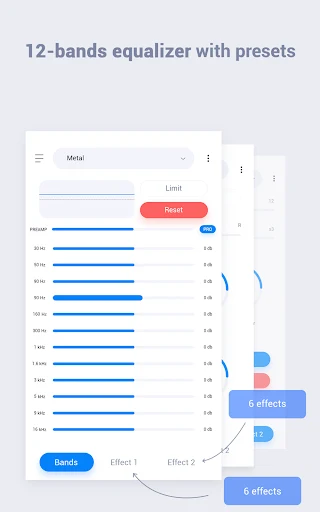
Sound customization is one of Stellio’s central functions. Its listed tools include an equalizer for fine-tuning playback, along with bass boost and virtual surround sound enhancements. These controls are intended for listeners who want to alter how their music sounds rather than use a single fixed audio profile.
The description also refers to adjusting tracks according to personal preferences and choosing playback speed. It does not provide technical details about the number of equalizer bands, preset profiles, or the exact range of playback-speed controls, so those details cannot be established from the supplied information.
How does it organize a music library?
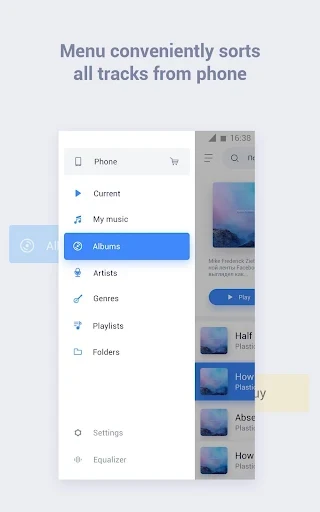
Stellio includes playlist-management tools for creating, editing, and organizing collections. Playlists can be built around frequently played or highly rated songs, and the description says music can be arranged by song title, album, genre, and artist. It also mentions grouping collections into categories such as country, rock, EDM, pop, and classical music.
Song ratings are another organization option. Users can rate tracks with stars or emotions, providing a way to mark preferences and distinguish more-liked songs from others in a library. The source does not specify whether ratings are shared publicly or remain limited to the user’s collection.
Does Stellio show lyrics and music information?
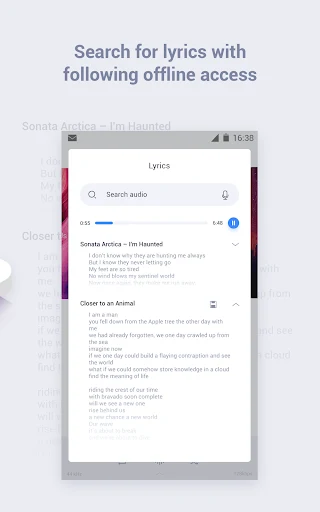
The player can display lyrics while a track is playing, allowing the lyrics to appear on screen during playback. The description also says lyrics may be downloaded for listening situations where they are not already available online. It does not explain which lyric sources are used or whether every song will have matching lyrics.
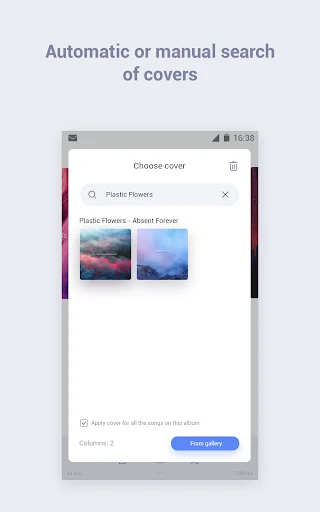
Stellio is also described as displaying metadata such as artist, album, and genre information. Album artwork and artist images are mentioned in connection with music information, while another listed control allows users to change the cover associated with the current track. These tools make the player’s library view more informative and customizable without changing the underlying audio file.
Can the interface and appearance be customized?
The source describes the interface as clean, modern, and intuitive, and says its appearance can be customized. It specifically mentions themes and states that different themes can be unlocked, although it does not identify the available designs or explain whether all themes are included by default.
The customization options are therefore best understood as appearance and presentation controls alongside the audio settings. The supplied material does not document widget options, notification controls, lock-screen layouts, or other interface features, so those should not be assumed.
Can Stellio be used without an internet connection?
The listed functions include offline playback, which is relevant for music already available to the player when an internet connection is not present. The description also mentions cloud-storage integration for accessing music from different locations. It does not identify the supported cloud services or explain how files are synchronized.
Other parts of the source describe searching for songs, albums, and artists, discovering similar albums, popular songs, and music charts, and accessing a broad music database. These discovery functions are presented separately from local-file playback, and the supplied information does not clarify which catalogues or services provide the online music content.
What discovery and playback tools are listed?
Stellio includes an integrated search function for finding specific songs, albums, or artists. The description also mentions recommendations based on preferences, similar album suggestions, recently popular songs, and music charts. Artist images, album artwork, and detailed album information are included among the associated music data.
For playback, the source emphasizes smooth, uninterrupted operation and says the player is intended to continue working when the internet connection is slow, while also advising users to check their connection if problems occur. These statements describe the supplied product claims rather than independently verified performance results. The app is also described as supporting music from local files and offering playlist controls for repeated listening.
Version history
View all15 Jul 2025 · stable
Frequently asked questions
What version of Stellio is listed in the source?
The supplied directory data lists version 6.10.0.