

Tattoo my Photo 2.0
Tattoo my Photo 2.0 lets you place tattoo designs on photos to explore different looks without applying real ink. Choose an image, customize tattoos with editing tools or personal designs, then save and share the finished result.
Screenshots
About this app
Tattoo my Photo 2.0 lets you explore tattoo ideas on a photo before committing to a real design. Choose an image from your gallery or take a new photo, then place tattoo artwork on it to create a virtual tattooing experience.
Exploring tattoo ideas on photos
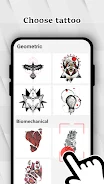
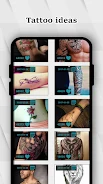
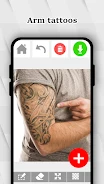
When you are comparing possible styles, the app provides a broad collection of tattoo flash designs for kids and adults. The available themes include roses, dragons, Polynesian designs, tribal tattoos, and other artistic options. You can use these choices to experiment with different forms of body art directly on your selected photo.
Adding personal artwork and text
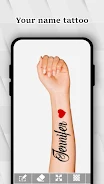
For a more personal result, Tattoo my Photo 2.0 supports text tattoos and lets you import your own designs from other photos or the internet. This makes it possible to work with an idea that is not included in the built-in collection, whether you want to add lettering or use a specific image as the tattoo artwork.
Adjusting the tattooed image
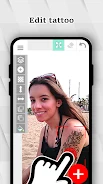
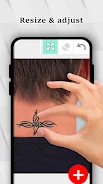
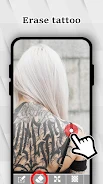
After adding a design, you can rotate and resize it, adjust its position, and change its color. Filters, fonts, drawings, and other editing tools are also available to customize the appearance and make the tattoo look more realistic. These controls support step-by-step changes as you refine the placement and style of the design.
Saving, sharing, and finding inspiration
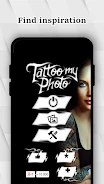
Once the photo is finished, you can save it or share it with friends. The app also includes a gallery of real tattoo photos from other people, where you can browse designs for inspiration. Users can publish their own tattooed images as well, connecting the editing process with a place to showcase completed ideas.
Version history
View all28 May 2024 · stable