

Temple VPN
Temple VPNTemple VPN is an Android app for connecting to a VPN with one tap. Its listed capabilities include changing the visible IP address, encrypting internet traffic, and providing access to premium servers through ad viewing or a subscription.
Screenshots
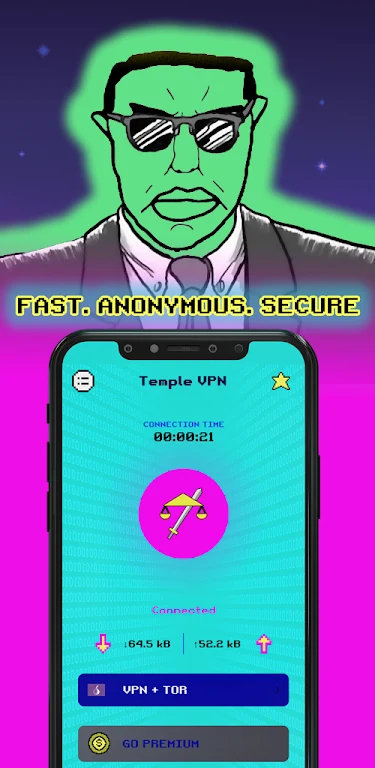


About this app
Temple VPN is an Android VPN app that provides a one-tap connection for internet use. Its description says the service can hide and change a device’s IP address and encrypt internet traffic, including when connecting through public Wi-Fi. The app is presented as a way to connect without adjusting complicated settings.
Connection and privacy features
The connection is started with a single tap, and the app is described as having a simple interface that does not require manual configuration. Its listed privacy functions are IP address masking and traffic encryption. These are the app’s stated capabilities; the description does not provide technical details about its encryption or explain how the service handles connection data.
Access to online content
Temple VPN says it can help users reach websites, apps, games, and video streaming services that may be restricted by geographic limits or internet censorship. These access claims describe the app’s intended use; the source does not identify particular services, regions, or servers. It also does not detail server locations or provide a way to compare connection options.
Free use and premium servers
The description presents the VPN service as free to use and separately mentions premium servers. Those servers can be accessed by watching ads or subscribing to Temple VPN Premium. It does not specify subscription pricing, the number of premium servers, or which server options are available without premium access. The app’s stated fast-connection claim is not accompanied by measured speeds or performance details.
Getting started
To use the main connection feature, open the app and tap to connect; the description says that additional settings or configurations are not required. It highlights public Wi-Fi as one setting in which traffic encryption may be used. The supplied information does not specify a minimum Android version, connection limits, or which device types are supported by the Android app.
Version history
View all07 Jan 2025 · stable
Frequently asked questions
Can one account be used on multiple devices?
The description says one account can be used simultaneously on multiple devices, including phones, tablets, and computers.