

Total Calculator
woosungsftTotal Calculator is a multi-functional Android application that brings together standard, scientific, statistical, and financial calculation tools into a single platform. It includes built-in error prevention, historical memory tracking, UNDO and REDO controls, and customizable themes.
Screenshots
About this app
Total Calculator is a versatile calculation tool designed to consolidate various mathematical, statistical, and financial functions into one application. By integrating multiple utilities into a single interface, the app allows users to switch between different modes depending on their specific calculation requirements without needing separate applications for each task.
Supported Calculation Modes and Utilities
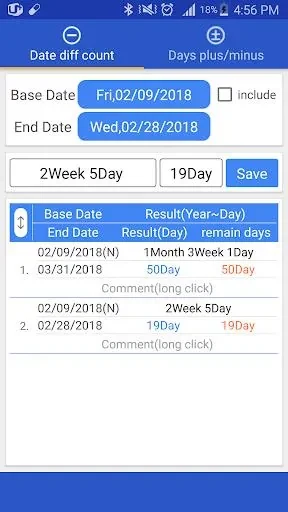
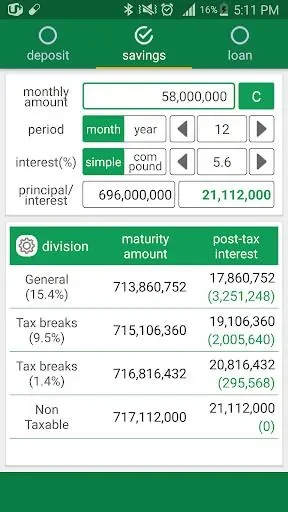
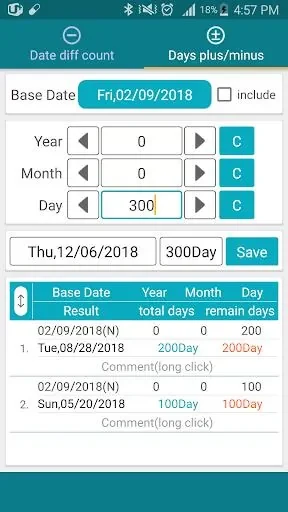
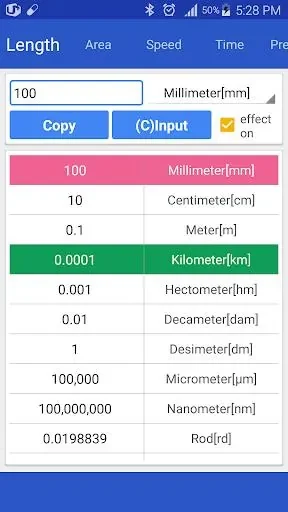
The application encompasses a wide range of dedicated calculators to handle different scenarios. These include a standard calculator for everyday arithmetic, a scientific calculator for advanced mathematical problems, and a statistics calculator for data analysis tasks. Users can also access a notation calculator, a date calculator for determining time intervals, a percent calculator, and a unit conversion tool for translating measurements. For financial planning, a deposit and savings calculator is available to assist with monetary computations.
Error Prevention and Correction Tools
To support accurate results, Total Calculator includes built-in functions aimed at minimizing calculation mistakes. The app incorporates a historical memory feature that records previous entries, enabling users to review and recall past work. Additionally, UNDO and REDO capabilities allow operators to step backward or forward through their actions to correct mistakes or repeat operations efficiently.
Customization and Interface Options
Users can personalize the visual appearance of the application by selecting from a variety of available themes. This allows individuals to adjust the interface to match their personal preferences. The free version of the application displays advertisements while providing access to the complete set of calculator modes and management tools.
Version history
View all29 Jun 2024 · stable
Frequently asked questions
What types of financial calculators are included?
The app includes a deposit and savings calculator to assist with financial planning.
Can I view past calculations?
Yes, the historical memory function allows users to view and recall previous calculations.
How can I correct a mistake during a calculation?
You can use the UNDO and REDO functions to easily correct or repeat operations.
Are there visual customization options?
Yes, the app offers various themes that let you customize its appearance.