

VLLO
VLLO is a mobile video editor for arranging clips and photos, adjusting their appearance, adding audio and captions, and exporting finished projects. It combines timeline editing with templates, stickers, transitions, face tracking, background removal, and support for resolutions up to 4K.
Screenshots
About this app
VLLO is a video editing application for assembling and refining videos on a mobile device. A project can combine video clips, photos, text, animations, stickers, music, and recorded narration, with editing tools for changing the sequence and appearance of the material.
Project setup and timeline editing
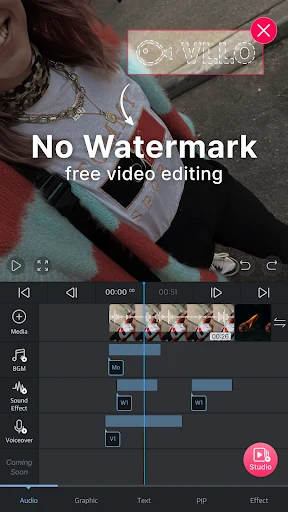
To begin, create a project and choose an aspect ratio for the intended platform. Imported videos and photos appear on a timeline, where you can drag items to change their order. Trim and split controls help shorten clips or remove unwanted sections, while copy and merge tools support further rearrangement.
The editor also supports cropping, inserting images or additional segments, changing playback speed, and reversing playback. These controls are presented as selection buttons on the main editing screen. The source also describes pinch and spread gestures for zooming the video view while working on a project.
Visual adjustments and effects
VLLO includes filters for color correction and controls for brightness, contrast, saturation, and shadows. These adjustments can be applied to a complete video or to selected frames, allowing the visual treatment to be changed without replacing the original clips.
Background color can be customized with color filters, and animations can be added to important frames. Picture-in-picture editing supports placing an additional visual layer over the main video. The app also provides background removal and face tracking tools for projects that need those effects.
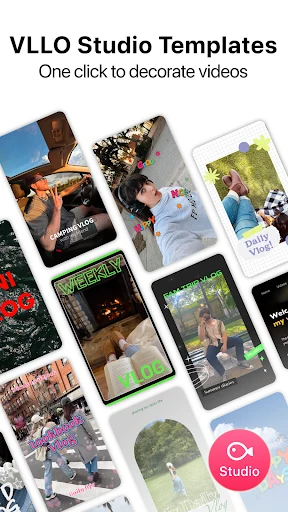
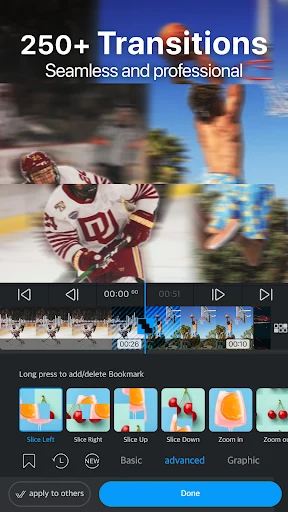
Templates can be used for titles and transitions. Text, shapes, animations, and stickers provide additional ways to annotate or decorate clips. The source lists more than 2,200 sticker types, organized into categories and described as updated quarterly. It also states that shapes and text are vector-based, which is intended to keep them clear when their size changes.
Audio, captions, and voice tools
The audio tools let you add music from VLLO's built-in library or import music from the device into a favorites list for reuse. Audio clips can be positioned by adjusting their start and end points, and fade-in or fade-out effects are available for transitions between sound sections.
The app includes more than 450 sound effects according to the source, along with a voice-recording option for narration. It also provides automatic caption generation and an AI voice feature. Volume controls can be adjusted as part of the audio editing process.
Preview and export
After editing, you can preview the complete project and make final changes to color or playback speed. Export settings include a choice of resolution, with the source specifically describing an upscaling option reaching 4K. Finished files can be saved to the device and shared through social applications.
VLLO is described in the source as a freemium app: some functions require payment while other functions are available without payment. The source also says that it can be used on a computer through an Android emulator such as BlueStacks, rather than running directly as a native computer application.
Version history
View all08 May 2026 · stable
Frequently asked questions
Is VLLO free to use?
VLLO is described as a freemium app. Some features require payment, while other functions are available for free.
Can VLLO run directly on a computer?
The source says VLLO does not run directly as a native computer application. It can be used on a computer through an Android emulator such as BlueStacks or another emulator.