

VPN Lite: Hotspot VPN Proxy
Pixy MobileVPN Lite: Hotspot VPN Proxy is described as a one-tap VPN proxy for accessing websites and apps, browsing on public Wi-Fi, and connecting to servers for streaming or gaming. Its listed options include server selection and auto-connect.
Screenshots


About this app
VPN Lite: Hotspot VPN Proxy is an Android VPN proxy app described as a way to connect to websites and applications that may be blocked in a user's region. Its stated uses also include browsing on public Wi-Fi, streaming, and gaming. The description presents these as app features and claims; it does not specify connection protocols or provide details about server locations.
What can the proxy be used for?
The app is described as providing proxy access to websites and applications that may be unavailable in a user's region. The examples include social media, news sites, and video streaming services. Netflix, Hulu, and Disney+ are named as streaming platforms, while the description also refers broadly to private browsing. It does not identify particular websites or explain how access may vary by location or service.
What privacy features are described?
For connections over public Wi-Fi hotspots, the description says the app encrypts data and shields it from potential hackers. It also claims a no-logging policy. These are the privacy statements provided in the listing; no technical details about encryption, logging practices, or independent verification are included. The app is therefore presented for people seeking a VPN connection on public hotspots, but the description does not explain the scope of its protections.
How are servers and gaming covered?
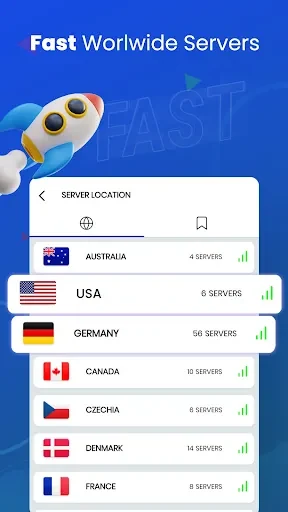
VPN Lite is described as having servers in locations around the world and aiming to provide fast connections for browsing, video streaming, and games. Its game optimization feature is said to reduce lag and latency. Examples include the mobile games PUBG and APEX, as well as the PC game League of Legends. The listing does not give server counts, named locations, or measured speed results, so it does not establish performance for a particular connection or game.
What connection controls are mentioned?
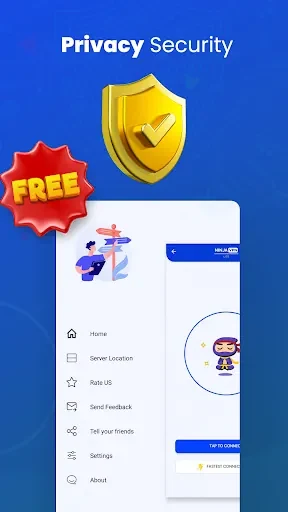
The description says users can connect to a proxy server with one click, without complicated setup or configuration. It also recommends choosing a server close to the user's physical location to help minimize latency. An auto-connect feature is listed for automatically establishing a connection when using the internet. These are the controls and usage suggestions described; no additional connection settings are specified.
Version history
View all07 Sep 2024 · stable