
Wonder
Wonder creates images from words or sentences, with styles such as Cubist, Dali, Synthwave and Steampunk, as well as an option to use no style. Generated artwork can be saved to a device, shared, or used as a lock screen.
Screenshots
About this app
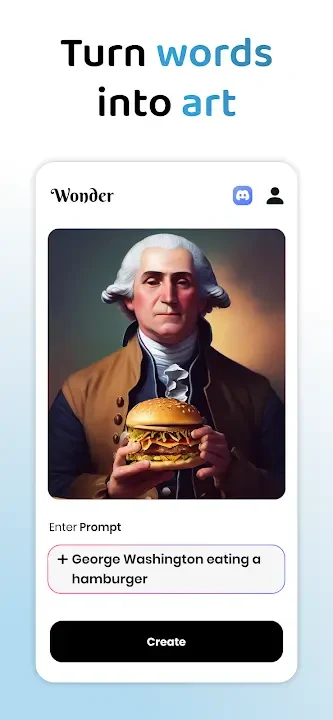
Wonder turns a written prompt into a piece of digital artwork. Users choose a word, sentence or other description and select an art style, giving them a way to explore how a written idea might look as an image. The app’s stated purpose is image creation from text, rather than editing an existing picture.
Describe an idea and choose a style
The starting point is the subject or idea to depict. Prompts can be broad, such as “Life Under Sea,” or more unusual, such as “Shattered Rainbow.” Wonder’s description says users can tailor the text to seek a more specific result, but it does not prescribe a prompt format. It also cautions that longer, more complex sentences may produce an image that differs from what the user intended. The wording is therefore part of the creative input, not a guarantee of a particular visual result.
After writing a prompt, users select from a range of visual styles. Named examples include Cubist, Dali, Synthwave and Steampunk; the description also mentions ornate Baroque painting and futuristic Synthwave landscapes. These choices let users explore different visual treatments for an idea. Alternatively, a no-style option is available for prompts that users want to present without selecting one of the named styles. The source does not detail further style controls or how each choice changes the image.
Review the generated artwork
The result is an image created from the submitted description and selected style. Wonder presents this as a way to turn words or complete sentences into visual artwork, with the possibility that the final image will not match the original mental picture, particularly for longer and more complex prompts. The source describes the artwork as high-resolution and suitable for printing or online sharing; it does not specify image dimensions or file formats.
Because outcomes may vary from the idea a prompt was meant to express, users can revise their descriptions or try a different style as part of exploring the concept. The app’s information supports this text-and-style creative process, but does not explain technical details of image generation, timing, or additional adjustment tools.
Save, share and use an image
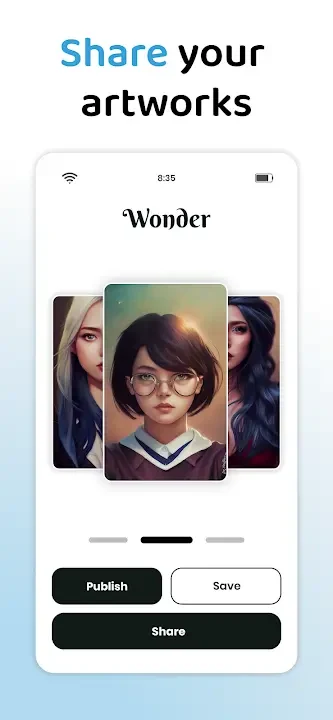
Wonder includes options to save generated artwork to the device or share it through social platforms. Sharing is presented as a way to show images to friends and family or post them online. The description does not identify specific platforms or explain whether sharing happens directly from the app in every case.
A generated image can also be used as a lock screen, giving the artwork a use beyond posting or printing. Together, saving, sharing and lock-screen use provide documented ways to keep or display the results of the text-to-image process. These options do not change the central task: choosing a written idea and a style, then creating an image from them.
Version history
View all10 Jul 2025 · stable